
Yes—you can switch home carriers while keeping a separate travel eSIM active, provided its plan remains valid, your phone supports the required active lines, and no carrier lock blocks it. If you mean the eSIM supplied by your old home carrier, its service does not carry over: your new carrier must activate its own SIM or eSIM, even when you keep your phone number.
- To switch carriers keep esim active, distinguish a separate travel eSIM from your old carrier’s eSIM.
- A number transfer preserves your phone number, not your old carrier’s eSIM service.
- Keep your old home line working until you complete the transfer authorisation.
- A-sim travel eSIMs suit travellers who want app-managed data abroad.
Can I switch home carriers while keeping my eSIM active?
A separate travel eSIM can stay installed and usable when you change your home carrier. The carrier switch changes your home service; it does not itself cancel a plan you bought from another provider.
The distinction is which subscription the eSIM belongs to:
| Your setup | What happens when you switch | Best for | Main limitation |
|---|---|---|---|
| Separate travel eSIM, same phone | The travel profile can remain installed; service still depends on coverage and plan validity | Keeping travel data separate from home service | Your phone must support the intended combination of active lines |
| Old home carrier’s eSIM | The old subscription stops serving your number after the transfer completes | Keeping your number through a carrier transfer | The new carrier must activate a replacement SIM or eSIM |
| Separate travel eSIM, different phone | Moving home service does not automatically move the travel profile | Travellers also replacing their handset | Travel eSIM transfer or reinstallation rules need checking |
Check whether you can use two eSIMs at once on your phone before replacing a physical home SIM with an eSIM.
Why this matters
Your phone number, installed eSIM profile, and data subscription are different things. Keeping one does not automatically preserve the others. That distinction matters when you need maps, account access, and messages during a carrier change.
For a 2026 carrier switch, treat the home-number transfer and travel-data connection as separate tasks. A working travel connection gives you internet access, but it does not guarantee that texts sent to your home number will arrive during the transfer.
Keeping a separate travel eSIM on the same phone
Leave the travel eSIM installed while you activate the replacement home line. There is no need to delete an unrelated travel profile just because you are changing home providers.
First, confirm that the travel plan covers your current location. A destination-specific plan does not become a home-country plan when you switch carriers. Remaining data also does not override an expired validity period.
Next, check the active-line configuration. Some dual-SIM phones support 2 active lines, but the permitted combination depends on the model and regional version. A phone that supports a physical SIM alongside an eSIM does not necessarily support two active eSIMs.
The benefit is continuity of travel data. The limitation is that a stored profile is not proof of a live connection: the line still needs to be enabled, valid, and connected to a supported network.
Keeping your home number, not the old home eSIM
Transfer your number through the new carrier rather than cancelling the old line first. The number moves between subscriptions; the old carrier’s eSIM profile does not become a subscription with the new carrier.
Follow the receiving carrier’s transfer instructions. In Canada, mobile-number transfers commonly involve an authorisation message sent to the existing line. Keep that line available and follow the actual instructions you receive rather than relying on a generic deadline.
Once the transfer completes, the old profile can remain visible in settings without providing service. Do not mistake that entry for an active subscription. Test the replacement home line before removing the obsolete profile.
Keeping your number helps preserve contact continuity. It does not promise uninterrupted calls or messages while the carriers complete the transfer.
Switching carriers and changing phones together
A handset change adds a separate job: moving the travel eSIM. Activating your home number on a replacement phone does not automatically install an unrelated travel subscription there.
Before erasing the original phone, check the travel provider’s transfer and reinstallation instructions. Do not assume that an installation code can be reused or that a phone’s built-in transfer feature supports every provider.
Keep the original phone intact until the replacement setup works. This preserves access to the existing profile and account information while you follow the provider’s process. It does not guarantee that the travel plan itself is transferable.
For a 2026 handset upgrade, verify both subscriptions separately: the new home line and the travel line. Success with one is not confirmation of the other.
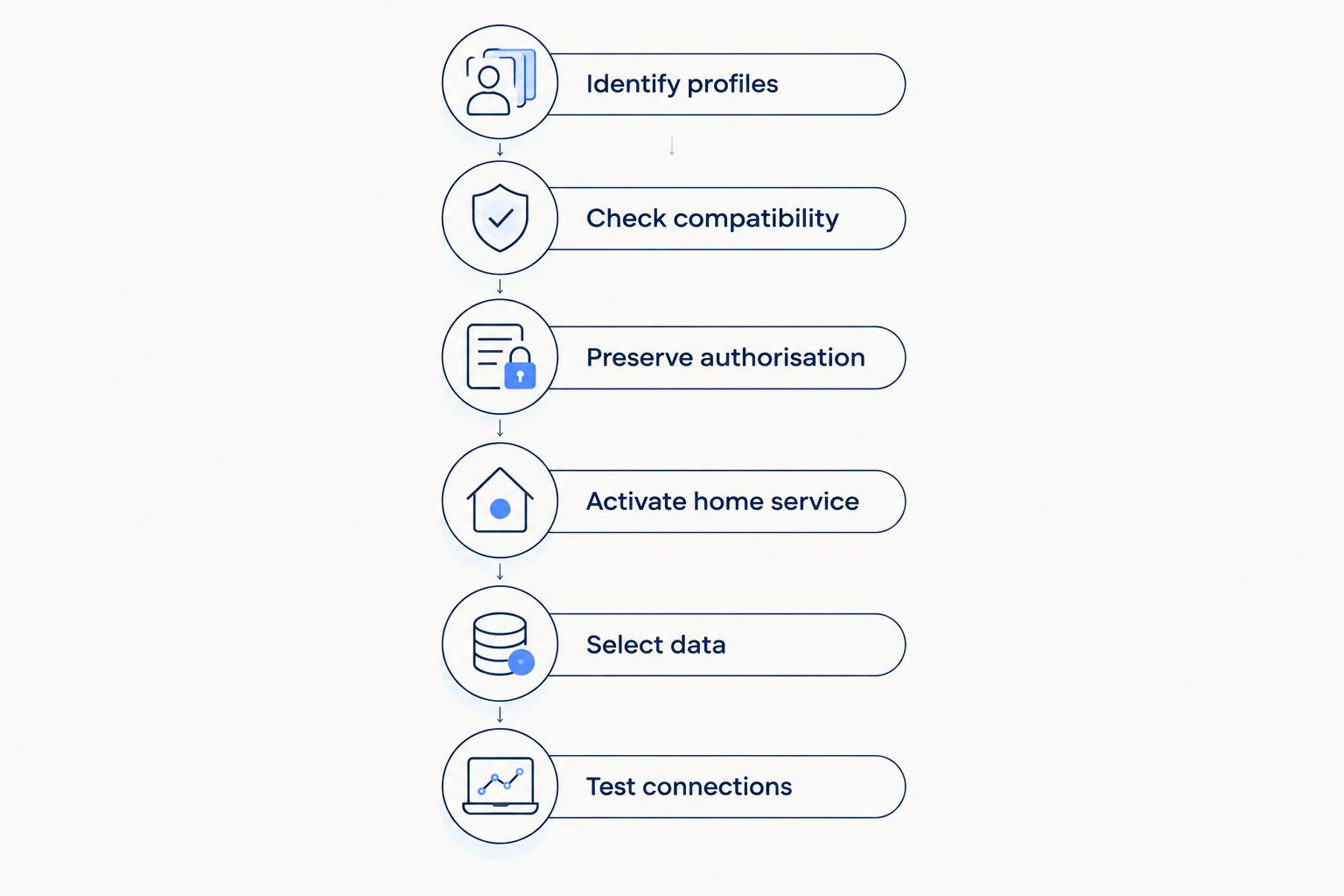
How to switch without disrupting your travel setup
Use this sequence on the phone you intend to keep. If you are also replacing the handset, confirm the travel provider’s transfer process before starting.
- Identify profiles. Open the phone’s cellular or SIM settings and identify the home line and travel line. Give them clear labels so you do not remove the wrong profile during activation.
- Check compatibility. Confirm that the phone accepts the new carrier and supports the active-line combination you need. Check the exact model, not just the phone family.
- Preserve authorisation. Keep the existing home subscription working for transfer approval. Save the account details requested by the receiving carrier and arrange another way to access essential accounts.
- Activate home service. Follow the new carrier’s instructions for its SIM or eSIM. Leave the separate travel profile installed unless a specific, verified instruction requires otherwise.
- Select data. Review the cellular-data line after activation. Choose the travel line when you intend to use travel data, and review any automatic data-switching setting.
- Test connections. Test home calls, home-number texts, and travel data separately. Remove the obsolete home profile only after confirming that the replacement line works.
Run 3 checks after activation
Start with an outgoing call using the new home line. Then check an incoming text addressed to your home number. Finally, switch off Wi-Fi and load a fresh webpage using the intended travel-data line in a covered destination.
These 3 checks test different functions. A successful webpage load proves a data connection, not successful number routing. Likewise, a successful home call does not prove that the travel eSIM is carrying your internet traffic.
Do not use an emergency number for a routine test. Use a normal contact and an ordinary webpage.
Why keeping an eSIM active varies
The outcome depends on the subscription and device, not simply on whether the SIM is digital. Check these factors before your 2026 switch:
- Subscription ownership. An independent travel plan is separate from the home service you are replacing. A travel add-on attached to your old home account is a different arrangement.
- Carrier restrictions. A carrier-locked phone can reject another provider’s service. Confirm the phone’s lock status before starting activation.
- Active-line support. Stored eSIM capacity and simultaneous active-line capacity are not the same. Check the exact supported combination.
- Plan validity and coverage. An installed profile still needs a valid plan, usable data, and service in your location.
- Data settings. The selected cellular-data line and automatic switching settings determine which subscription carries traffic.
- Phone replacement. Keeping the same handset avoids a profile-transfer task. Replacing it requires a separate check of transfer eligibility.
Do not delete a working travel eSIM as a general troubleshooting step. Deletion removes the profile from the phone; it does not resolve number-transfer routing or guarantee a replacement installation.
Will my travel data keep my home-number texts working?
Travel data does not, by itself, receive ordinary SMS addressed to your home number. Those messages depend on the home-number service and its supported messaging arrangements, even when your internet connection works perfectly.
Internet-based messaging is separate. An already configured messaging app can use travel data, but signing in again or registering on another device can require access to the registered number.
Before switching, review recovery methods for banking, email, and other essential accounts. Where supported, prepare an authenticator or recovery codes instead of making every sign-in depend on a text during the transfer.
Should I turn off my old home line straight away?
Keep the old home line available until the receiving carrier’s transfer process no longer needs it. Turning it off too early can prevent you from seeing an authorisation message or checking the line’s status.
After the transfer, distinguish disabling a profile from deleting it. Disabling changes whether the phone uses that profile; deletion removes it from the device. Neither action substitutes for completing the carrier’s number-transfer process.
When travelling, review home-line roaming settings separately. Keeping a number available and choosing a travel line for data are different decisions, and both need checking after activation.
Where a separate travel-data plan fits
A-sim travel eSIMs suit travellers who want app-managed data abroad. You can get destination, regional, or global travel eSIMs through the app or website, manage usage in the app, and top up through the app.
The practical benefit is managing travel data separately from a home-carrier change. The limitation remains the same: a travel-data subscription is not a replacement for transferring your home number, and it cannot override the phone’s active-line restrictions.
If that separation fits your trip, review A-sim against your destinations and device requirements. Choose coverage for the trip you are taking rather than assuming that a home-carrier switch changes the travel plan’s coverage.
FAQ
Can I switch carriers and keep my travel eSIM installed?
Yes, a separate travel eSIM can remain installed when you switch home carriers. Continued service depends on plan validity, destination coverage, phone compatibility, and the selected data settings.
Can I keep the exact eSIM from my old home carrier?
Keeping the old profile installed does not preserve its home service after your number transfers. The new carrier must activate its own SIM or eSIM for the replacement subscription.
Will switching carriers delete my travel eSIM automatically?
A home-carrier switch does not itself require deletion of an unrelated travel eSIM. Review each activation prompt carefully and distinguish removing a profile from changing the default line.
Can I use 2 active lines after switching carriers?
You can use 2 active lines if your exact phone model supports the required SIM combination. Support for a physical SIM plus an eSIM does not automatically mean support for two active eSIMs.
Will I still receive bank verification texts during the transfer?
Travel data alone does not guarantee delivery of bank verification texts to your home number. Keep the existing home line available for transfer authorisation and prepare another supported account-recovery method.
Do I need to reinstall my A-sim travel eSIM after switching home carriers?
A home-carrier switch on the same phone does not itself require reinstalling a separate A-sim travel eSIM. Keep the profile installed and check its validity, coverage, and data-line selection.
Should I cancel my old carrier before moving my number?
No—start the number transfer with the receiving carrier while the existing number remains active. Follow that carrier’s instructions and confirm the new service works before removing the obsolete profile.
One last thing
A visible eSIM is not proof of working service. Your phone can display an old home profile after its subscription has stopped, just as it can store a travel profile that has expired or is outside its covered area.
Before your 2026 switch, record which line handles calls, which receives home-number texts, and which carries data. Recheck those assignments afterwards. That is more useful than simply counting the profiles shown in settings.