
Snowbird travel eSIM connectivity is a digital mobile connection for retirees wintering abroad, with the aim of keeping everyday internet access separate from their home mobile service. Choosing an esim for snowbirds traveling abroad means planning for a longer stay, renewal dates and access to your Canadian number—not just getting connected at the airport.
- Choose an esim for snowbirds traveling abroad by destination coverage, phone compatibility and plan validity—not data allowance alone.
- A-sim travel eSIMs suit snowbirds who want to manage mobile data and top-ups through an app.
- Keep home-number access separate from travel data; banking texts and ordinary calls depend on the line receiving them.
- For winter travel in 2026, check expiry and renewal terms before installing your travel eSIM.
Why travel eSIMs matter for snowbirds
A winter stay needs a repeatable connection routine. You need maps outside your accommodation, messages from family and access to travel documents without depending entirely on the rental property's Wi-Fi.
The harder issue is continuity. Your mobile data allowance, plan validity and home-number access are separate questions; solving one does not solve the others. Start with this guide to keeping your home number with an eSIM before changing your existing service.
For your 2026 winter trip, choose a setup you can explain and manage yourself. The right connection is one you know how to renew, check and troubleshoot—not simply one you can install.
Set up your winter connection in six steps
Check your phone before choosing a plan
Start in your phone's settings and look for an option to add an eSIM or mobile plan. Then confirm support for your exact model and regional version with the manufacturer. An iPhone or Android label alone does not establish eSIM compatibility.
Check whether your phone is carrier-unlocked, too. A locked phone restricts which providers you can use, while eSIM support determines whether you can install a digital mobile profile. These are different checks.
If you travel as a couple, check both phones separately. Do not assume the handset bought alongside yours has the same capabilities, or that a connection on one phone automatically covers the other.
- Find your exact phone model and regional version.
- Confirm eSIM support in the manufacturer's documentation.
- Ask your home carrier whether the phone is unlocked.
- Check which combinations of mobile lines your phone supports.
- Update your phone software before departure.
- Keep your device passcode and account recovery details accessible.
Match coverage and validity to your itinerary
Write down your destinations and travel dates before comparing plans. Include overnight stops and side trips, not just the country where you rent your winter accommodation. A country-specific plan and a regional plan solve different travel needs.
Next, separate the data allowance from the validity period. Unused data does not establish that a plan remains active indefinitely. Read when validity begins, when service ends and whether an additional purchase extends the existing plan or creates a new one.
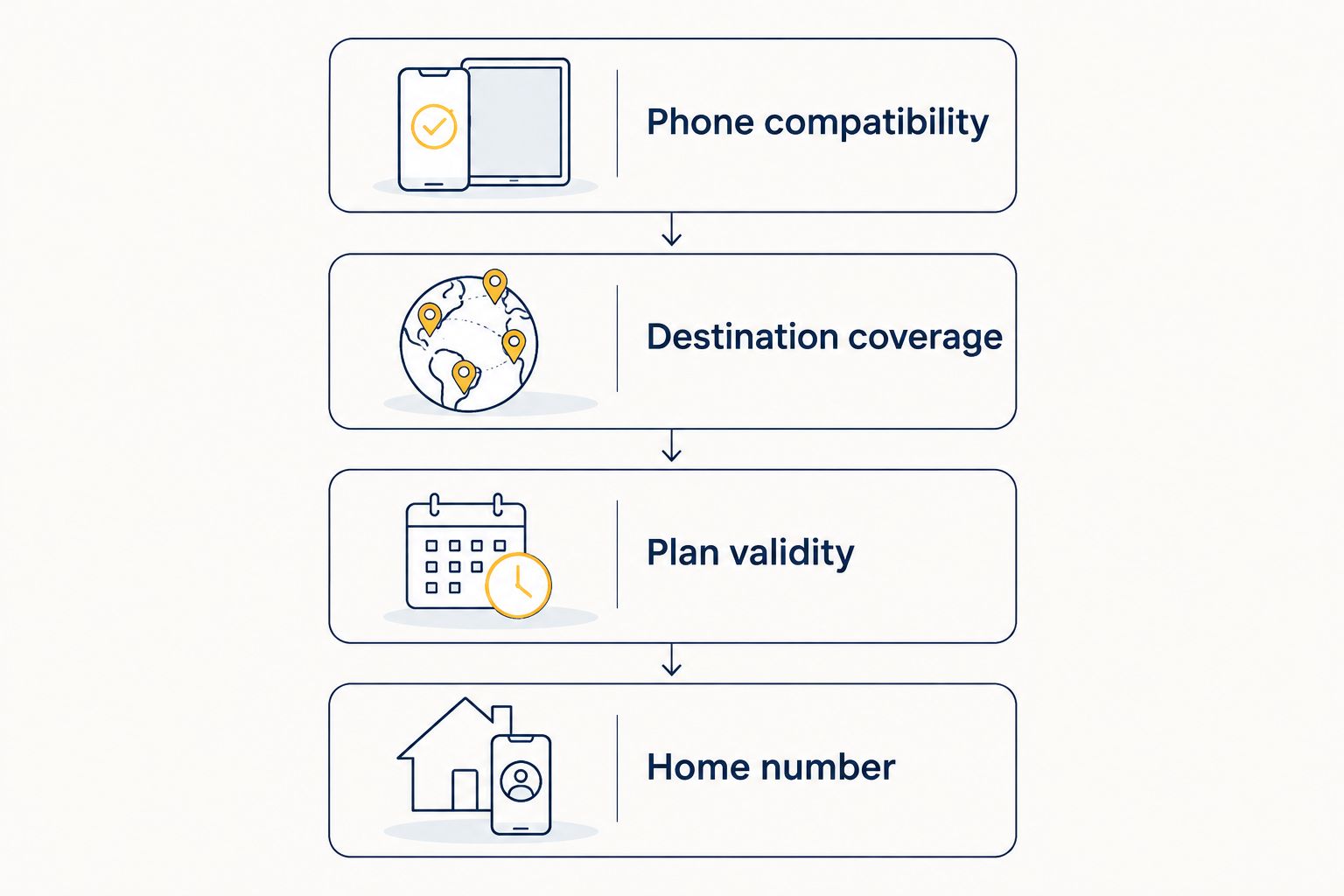
For a 2026 departure, check the current terms rather than relying on what worked during your previous winter stay. Use four checks: Phone compatibility, Destination coverage, Plan validity and Home number.
A longer stay makes renewal instructions part of the buying decision. You should know what happens when either the allowance or the validity period ends before you rely on the connection abroad.
- List every country where you need mobile data.
- Check coverage for your accommodation area and planned outings.
- Read the event that starts the validity period.
- Record the expiry date after activation.
- Check whether top-ups add data, extend validity or both.
- Confirm hotspot terms if you intend to connect another device.
Choose a management method you can maintain
You can manage a travel connection manually: keep purchase details in a folder, note the expiry date in your calendar and inspect mobile usage in your phone's settings. This works without making an app the centre of your travel routine.
If you prefer app-based management, A-sim offers travel eSIMs for individual countries, regions and global travel, with purchasing through its website or app and usage management and top-ups through its app.
A-sim travel eSIMs are best for snowbirds who want app-managed data and top-ups. That convenience does not replace checking the selected plan's destination coverage, validity or calling features. Match those terms to your winter itinerary before purchasing.
Choose the method you can use when you are tired, away from your accommodation or dealing with a weak connection. Keep essential instructions available outside the app as well.
- Choose country, regional or global coverage to match your route.
- Save the purchase confirmation and installation instructions.
- Record which account holds your travel connection.
- Check how you will view remaining data.
- Learn the renewal or top-up process before departure.
- Keep a written expiry reminder as a backup.
Separate travel data from your home number
Use your phone's mobile-line settings to assign travel data deliberately. Label the lines clearly, such as Home and Travel, so you can recognise them when choosing settings or making a call.
On a compatible dual-SIM phone, your home line and travel line serve different purposes. Your travel connection provides the selected mobile service; your home number remains associated with your home subscription. Adding an eSIM does not automatically move that number.
Before your 2026 trip, ask your home carrier about receiving texts, placing calls, voicemail and Wi-Fi calling abroad. Turning off home-line data roaming does not disable every other chargeable activity on that line.
Protect access to banking and account verification before changing or suspending your home service. Where supported, set up an authenticator or another recovery method while you still have normal access at home.
- Label your mobile lines Home and Travel.
- Select the intended line for mobile data.
- Disable automatic data switching if it would use your home line unexpectedly.
- Follow the travel provider's instructions for that line's roaming setting.
- Confirm home-carrier rules for calls, texts and voicemail abroad.
- Test important account recovery methods before leaving.
Install carefully and test ordinary tasks
Use a trusted internet connection to follow the provider's installation instructions. Before installing, establish whether installation starts plan validity or whether activation happens later. Do not assume these events are interchangeable.
After arrival, test the connection with tasks you actually need: opening a map, sending a message and loading a travel document. A signal icon alone does not confirm that your chosen data line is working correctly.
If the test fails, work through the settings rather than repeatedly reinstalling the profile. Check the selected data line, destination coverage, activation status and the provider's roaming instructions. Do not delete an eSIM as a first troubleshooting step; reinstallation depends on the provider's process.
Give yourself 1 day after arrival to check your usual tasks before relying on the connection for an unfamiliar outing. This is a planning buffer, not an activation-time promise.
- Install using the instructions for your selected plan.
- Save activation details somewhere accessible offline.
- Check that the intended travel line is enabled.
- Turn off Wi-Fi briefly to test mobile data.
- Open maps, messaging and your essential travel documents.
- Keep an offline copy of your accommodation address.
Review usage and renewal throughout your stay
Start with your phone's usage information and the provider's account tools. Review which apps consume mobile data, then move large downloads and backups to suitable Wi-Fi when practical. Your own usage is a better planning basis than a generic allowance recommendation.
Make your first review after 7 days, then set a weekly reminder. Treat this as a suggested routine: it helps you catch unexpected background use while there is still time to adjust settings.
A-sim supports usage management and top-ups through its app. Check the selected plan's renewal terms before adding data, particularly when your winter stay continues beyond its original validity period.
For your 2026 stay, track remaining data and remaining validity separately. A full data balance is not a substitute for an active plan. Keep a backup way to connect when you need to renew.
- Review usage after 7 days and weekly thereafter.
- Identify apps using mobile data in the background.
- Move photo backups and large updates to suitable Wi-Fi.
- Record the plan expiry separately from its data balance.
- Check top-up terms before extending your connection.
- Keep accommodation Wi-Fi details available for renewal or support.
Compare connection options for your winter stay
Choose by the task you need each option to handle. A travel eSIM, your home carrier's roaming service, a local mobile plan and accommodation Wi-Fi are not interchangeable: their calling features, management requirements and coverage differ.
| Option | Best for | Practical advantage | Key limitation |
|---|---|---|---|
| A-sim travel eSIM | Snowbirds who want app-managed travel data | Usage management and top-ups through the app; country, regional and global options | You must check the selected plan's validity, coverage and calling features |
| Home-carrier roaming | Travellers who want to use their existing mobile service abroad | Keeps service management with your home carrier | International terms and permitted usage require checking with that carrier |
| Local mobile plan | Snowbirds who need destination-specific mobile service | Lets you assess local calling and data options | Registration, compatibility and renewal requirements depend on the provider |
| Accommodation Wi-Fi | Internet use inside your winter accommodation | Connects supported devices without using their mobile data allowance | Does not provide a mobile connection when you leave its range |
A travel eSIM suits maps and messaging away from your accommodation; Wi-Fi suits connected use inside it. If you need an ordinary local telephone number, verify that feature explicitly rather than assuming every travel data plan includes it.
For a couple travelling with 2 phones, decide whether each person needs an independent connection. Sharing through a hotspot depends on plan and device support, keeps the connected devices within range of each other and requires the sharing phone to remain available.
Common mistakes snowbirds make
Treating a winter stay like a short holiday
Installing a plan for arrival solves only the first part of a longer trip. It leaves you unprepared if you have not checked expiry and renewal. Put the end date in your calendar and learn the next purchase step before you need it.
Disabling the home line before checking account access
Turning off your home service can interrupt texts sent to that number. Before changing the line, check your banking, insurance and travel accounts for authentication and recovery requirements. Arrange supported alternatives while you still have access at home.
Assuming unused data means an active connection
Data allowance and validity are different limits. Check both when a connection stops working; buying more data is not necessarily the correct response to an expired plan. Read what the additional purchase actually changes.
Expecting rental Wi-Fi to cover every outing
Your accommodation's Wi-Fi does not follow you to a pharmacy, restaurant or unfamiliar road. Download essential maps and documents before leaving, and test mobile data before you depend on it outside.
Giving both travellers one connection without a backup
A shared hotspot stops helping when you separate or the sharing phone is unavailable. If you take different outings, plan independent connectivity or agree on an offline meeting point. Keep important contact details on both phones.
FAQ
What's the best eSIM setup for snowbirds travelling abroad?
The best setup matches your destinations, phone compatibility and full winter-stay renewal needs. Keep travel data separate from home-number access, and check whether your selected plan includes the calling features you need.
Can I keep my Canadian number while using a travel eSIM?
You can keep your Canadian number by retaining the home service associated with it. A compatible dual-SIM phone supports using a separate travel line, but receiving calls and texts abroad depends on your home carrier's service and terms.
Will a travel eSIM receive my bank's verification texts?
A travel eSIM does not automatically receive texts addressed to your Canadian number. Those messages go to the service associated with that number; check home-line access and set up supported account recovery alternatives before departure.
Should I install my eSIM before leaving Canada?
Install before departure only after checking the provider's installation and validity-start instructions. Some plans distinguish installation from activation, so confirm the selected plan's rules rather than assuming installation is harmless to its validity period.
Can I use one travel eSIM for an entire winter abroad?
A single plan covers your entire winter only if its coverage and validity match the stay. Check whether renewal or top-ups extend service, and whether you need another plan when the original validity ends.
Do I need accommodation Wi-Fi if I have a travel eSIM?
Accommodation Wi-Fi is a useful separate connection for large downloads and devices without their own mobile service. Your travel eSIM provides mobile connectivity outside Wi-Fi range where the selected plan has coverage.
Can my partner use my phone's travel data?
Your partner can connect through your phone's hotspot if the phone and selected plan support tethering. Shared access depends on the sharing phone remaining nearby, powered on and connected, so it is not an independent connection.
One last thing
Before your 2026 departure, turn off Wi-Fi and rehearse an ordinary outing at home: open your saved address, find your travel documents and locate the setting that chooses your mobile data line. Use your existing connection for this rehearsal; you do not need to activate destination service early.
Write down which line handles data and which line receives your home-number texts. That simple distinction makes troubleshooting clearer when you are abroad.