Professional athletes’ travel eSIM connectivity is mobile data delivered through a digital SIM, with the aim of keeping you connected between training camps, competitions and international transfers. Choosing an eSIM for professional athletes abroad means matching coverage to your route while keeping coaching calls, team messages and video uploads from competing for the same data allowance.
- Choose an eSIM for professional athletes abroad by destination coverage, phone compatibility and upload needs, not the plan name.
- A-sim travel eSIMs suit athletes who want app-based usage tracking and top-ups across international trips.
- Install before departure where permitted; check activation rules before starting the plan’s validity.
- Keep coaching messages on mobile data and move large training-video uploads to a suitable Wi-Fi connection.
Why travel eSIM connectivity matters for professional athletes
Your connection has different jobs during a competition trip: receiving a changed meeting point, finding the training venue and sharing footage with a coach. Build the connection around essential communication first, then add capacity for media. A working team chat matters more than a background photo backup.
For your 2026 competition calendar, separate installation from activation. Adding an eSIM profile does not establish when every plan’s validity begins; that depends on the provider’s terms. Read the guide to installing an eSIM before travel before deciding when to set yours up.
An eSIM also does not guarantee reception inside an arena, at a mountain training site or along a remote race route. It gives a compatible phone access to the networks included in the plan. Keep essential travel and team information accessible offline.
Set up your competition-trip connection
1. Map your itinerary before choosing coverage
Start with your existing calendar and a simple notes document. List the countries where you need connectivity, including overnight transfers and training stops. A plan labelled for a region still needs checking against its actual country list.
Separate places where connectivity is essential from airports where you can manage with downloaded documents. That distinction prevents you from choosing broad coverage that misses the country where you will actually train.
For a 2026 season involving changing fixtures, check the confirmed route before each departure rather than treating an earlier purchase as permanent coverage. Your travel calendar is the starting point; the plan’s destination list is the final check.
- Record every destination requiring mobile data, including training camps.
- Note arrival and departure dates beside each country.
- Mark venues or accommodation outside major population centres.
- Check whether transit stops require their own connectivity.
2. Check your phone and protect your home number
Use your phone’s settings and the manufacturer’s compatibility information before buying. Confirm the exact model and regional version, not just the phone family. Also check whether your carrier has locked the device against other providers.
Treat mobile data and your home number as separate decisions. A travel data connection does not automatically provide a local phone number, conventional calls or SMS. Keeping your home line enabled can preserve access to that number, but your home carrier’s roaming terms still apply.
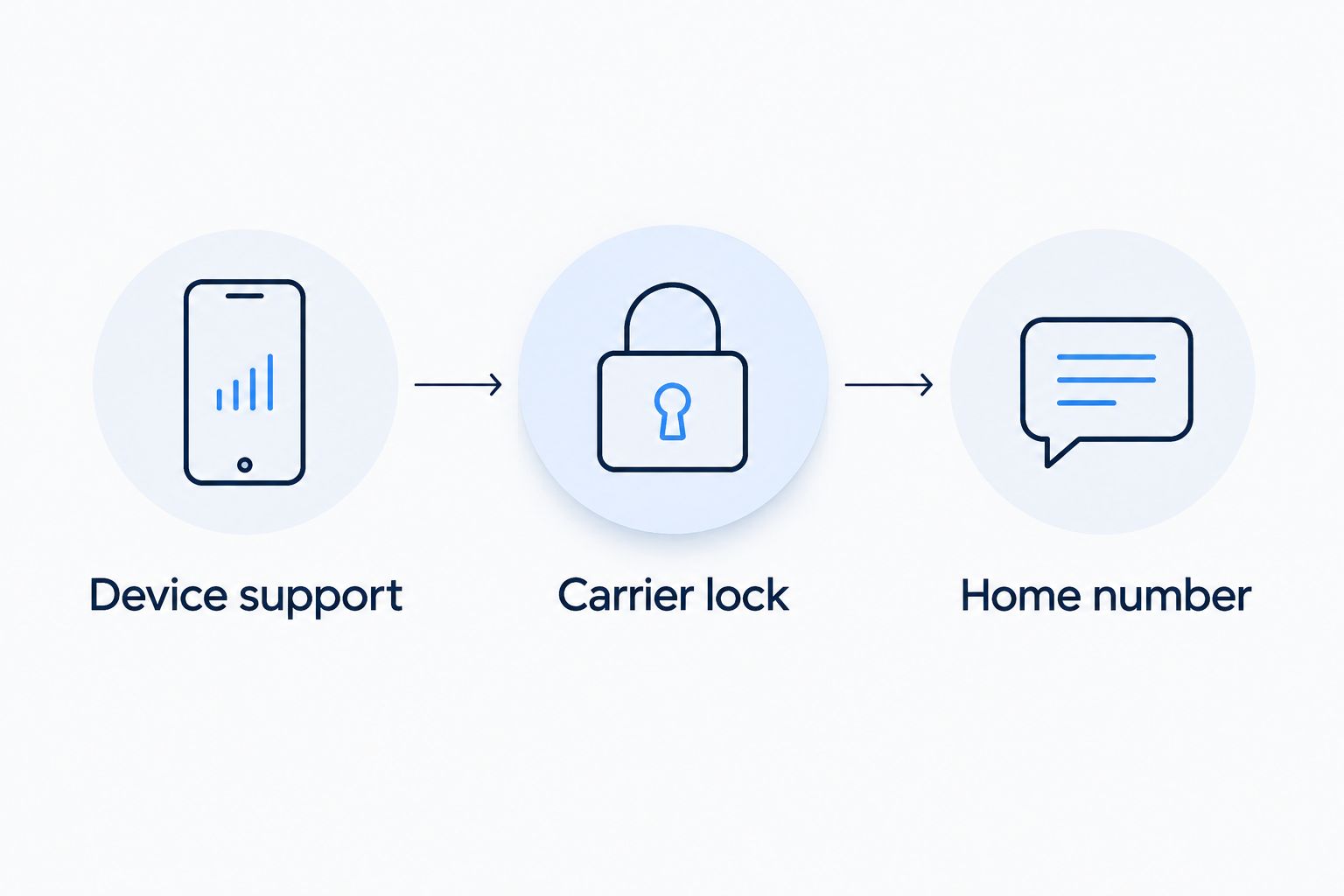
Complete these 3 checks before departure. If you travel with a club-issued phone, ask the device administrator whether adding a personal travel profile is permitted.
- Device support: confirm that your exact phone supports eSIM.
- Carrier lock: confirm that another provider’s profile is permitted.
- Home number: decide how you will receive essential calls and verification messages.
3. Match the plan’s scope to the trip
Compare the route against country, regional and global coverage manually. A country-specific plan fits a trip contained within its listed destination; broader coverage fits an itinerary only when every required country appears in the terms. Broader does not automatically mean better for your schedule.
A-sim offers country, regional and global travel eSIMs through its website or app, with app-based usage management and top-ups. A-sim travel eSIMs are best for athletes who want to manage international data and top-ups in an app. The limitation is that plan scope alone cannot establish venue reception, voice service or suitability for a particular phone.
For your 2026 trip, confirm the selected plan’s details before purchase. App management helps with administration; it does not replace checking destination coverage and activation conditions.
- Match every required country against the selected plan.
- Read when validity starts and how expiry works.
- Confirm whether hotspot use is permitted if you need a laptop.
- Check voice and SMS inclusion separately from mobile data.
4. Separate essential messages from heavy uploads
Start with your phone’s built-in per-app data report. Review a representative period that includes training, travel and video calls. Your own usage is a better planning input than a generic allowance recommended for all athletes.
Create 2 task groups: essential communication and bulk transfers. Put team messages, navigation and travel documents in the first group. Put full training sessions, cloud photo backups and software downloads in the second.
A-sim provides usage tracking and top-ups through its app. Use those controls alongside your phone’s per-app report: the remaining allowance tells you what is left, while the phone report helps identify what consumed it. Neither is a promise that a large upload will finish over a weak connection.
- Download offline maps and travel documents before leaving.
- Restrict automatic photo and video backups on mobile data.
- Save full-resolution training footage for a suitable Wi-Fi connection.
- Review usage after your first travel or training day abroad.
5. Install carefully and test the right functions
Follow the provider’s installation instructions over a stable internet connection. Keep the instructions accessible on another device or saved offline where possible. Do not assume the installation method or activation trigger is identical across providers.
After arrival, select the travel profile for mobile data and apply its required roaming settings. Separately control roaming on your home line. On supported phones, review automatic data switching so your device does not use the home line unexpectedly.
For a 2026 tournament trip, finish testing before leaving the airport or accommodation for the venue. Opening an app is not enough: send a message, load a route and confirm the intended mobile-data line is active.
- Give the travel profile a recognisable label in phone settings.
- Select the travel profile as the mobile-data line.
- Follow the provider’s data-roaming instructions for that profile.
- Test a team message and a navigation search without Wi-Fi.
6. Keep a separate plan for coaching calls and footage
Use your existing tools first: schedule calls, download session notes and agree how a coach will receive files. A live feedback call and a full-session upload have different requirements. Do not make both depend on the connection available beside the training field.
Test the actual communication app at the place where you intend to use it. Reception, network congestion and the remote participant’s connection all affect the result. An eSIM format does not guarantee low delay or uninterrupted video.
Set a fallback that still lets the session proceed. If video fails, an audio call plus previously shared clips keeps the discussion focused without pretending the connection can support more than it does.
- Agree on an audio fallback for scheduled coaching calls.
- Share essential clips before the feedback session where possible.
- Pause background uploads during live calls.
- Confirm tethering permission before relying on a laptop connection.
7. Prepare a fallback that survives a phone problem
Save your essential information outside the connected phone. Keep the hotel address, venue location, team contact and transport instructions in an offline document or printed copy. A spare connection on the same handset does not solve a lost, damaged or discharged phone.
If your fallback involves a physical eSIM adapter, distinguish the adapter’s claims from the phone’s native eSIM support. Check international carrier compatibility alongside the exact handset, adapter and provider requirements; an adapter is not evidence that every travel profile will work.
Before your next 2026 departure, agree on a missed-contact procedure with your team. Specify where to meet and whom to contact if your phone stops working. This is more useful than storing every recovery instruction exclusively in the app you cannot open.
- Save the next meeting point and accommodation address offline.
- Keep a team contact somewhere other than your primary phone.
- Carry a suitable charging option for travel days.
- Record how to access account support from another device.
Compare connectivity options for your competition trip
Choose by the job the connection must do. Personal travel data, a local telephone number and a shared team connection are different requirements. No single format proves coverage quality at a specific venue.
The table separates the main options without treating one as universally better. For A-sim, the confirmed benefit is app-managed travel data across country, regional and global options; check the selected plan for everything beyond that scope.
| Option | Best for | Practical advantage | Key limitation |
|---|---|---|---|
| A-sim travel eSIM | Athletes wanting app-managed international data | Website or app access, usage management and app top-ups | Requires a compatible device; verify destination and service details |
| Home-carrier roaming | Athletes prioritising their existing mobile service | Keeps arrangements with the home carrier | Destination terms and included services depend on the carrier |
| Local SIM or eSIM | Athletes investigating service for an extended stay | Lets you assess local carrier offers for that destination | Registration, device compatibility and onward travel need checking |
| Portable Wi-Fi router | Athletes considering a connection shared across devices | Separates the internet connection from an individual phone | Adds another device to charge and carry; coverage still matters |
| Accommodation or venue Wi-Fi | Bulk transfers where a suitable network exists | Can move large uploads off the mobile-data allowance | Access, performance and security vary by network |
For a single-country training block, compare that destination’s coverage and validity before considering a broader package. For a multi-country circuit, compare the complete route. A regional label is not a substitute for an included-country list.
If receiving ordinary calls is essential, treat voice service as a separate requirement rather than assuming a data plan covers it. The same applies to SMS verification: confirm which number receives the code and how that line will remain reachable.
Common mistakes professional athletes make
Treating the venue name as proof of coverage
A plan covering a country does not guarantee reception inside every training facility or along every course. Check available network information, then test on arrival. Keep schedules and directions offline even when the first connection test succeeds.
Uploading footage while waiting for urgent messages
Automatic cloud backups consume the same mobile-data allowance used for team communication. Review background permissions before recording a training session. Send the short clip needed for immediate feedback and leave the full archive for a suitable connection.
Changing a messaging number unnecessarily
Installing a travel data profile does not, by itself, require changing the number registered to every messaging account. Follow the app’s account rules and retain access to its verification method. Avoid making account changes immediately before an important team briefing.
Assuming one athlete’s setup works for the whole squad
Phone models, carrier locks and account restrictions differ. Give teammates the same checklist, not an assurance that the same profile will work on every handset. Shared travel dates do not establish shared device compatibility.
Deleting a profile during rushed troubleshooting
Removing an eSIM can complicate recovery when reinstallation is restricted by the provider. Check the active data line, roaming settings and provider instructions first. Contact support before deleting a profile you still need.
FAQ
What’s the best eSIM for professional athletes abroad?
The best fit covers your confirmed itinerary, works on your exact phone and supports your communication needs. A-sim suits athletes seeking app-managed travel data and top-ups; verify the selected plan’s coverage and terms before purchase.
Can I keep my home number while using a travel eSIM?
Yes, if your phone supports the required dual-SIM configuration and your home service remains active. Set the travel profile for mobile data and check your home carrier’s rules for calls, SMS and roaming.
How much data do I need for an overseas training camp?
Base the allowance on your phone’s recorded usage and the tasks you intend to do abroad. Separate messaging and navigation from video calls, training-footage uploads and cloud backups before choosing a plan.
Can I use a travel eSIM for video calls with my coach?
Yes, internet calling apps can use a working mobile-data connection. Call quality depends on the connection at both ends, so test from your intended location and agree on an audio fallback.
Should I install my eSIM before flying to a competition?
Install before departure when the provider’s instructions permit it, but check when validity begins first. Installation, activation and first network connection are not necessarily the same event.
Will an eSIM work at a remote training venue?
An eSIM works only where its supported networks provide usable service. Country coverage does not guarantee reception at a remote venue; keep essential directions and team instructions offline.
Can I share travel eSIM data with my laptop?
You can share data when the selected plan and your phone permit personal hotspot use. Confirm tethering terms before relying on the connection for analysis software or footage transfers.
One last thing
Test your offline setup by turning connectivity off. Open the venue directions, accommodation details and next team meeting instructions without mobile data or Wi-Fi. Anything that fails this test is not yet an offline backup, regardless of whether you previously opened it.