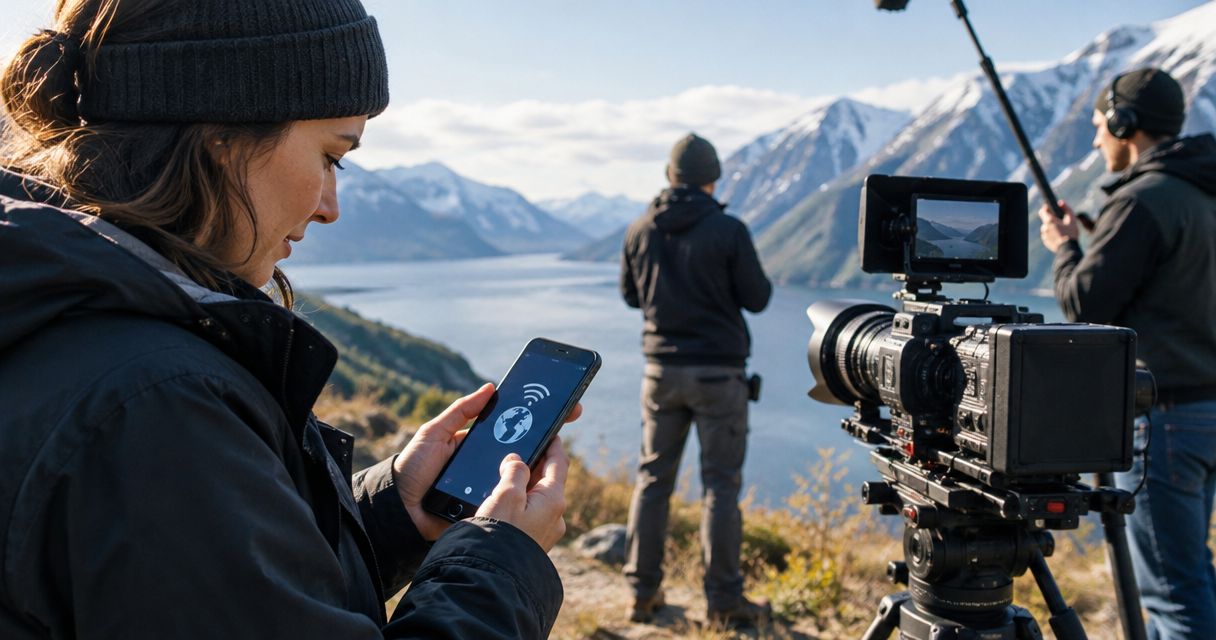
Diplomats’ travel eSIM connectivity is a downloadable mobile connection with the aim of keeping embassy staff connected abroad without swapping physical SIM cards. This 2026 guide explains how to choose an eSIM for diplomats while keeping device permissions, official communications and personal travel data separate.
- Choose an eSIM for diplomats by device permission, destination coverage and number requirements—not installation convenience alone.
- A-sim travel eSIMs suit diplomats seeking single-country, regional or global coverage with app-based usage management and top-ups.
- Keep official communications on employer-approved devices and services; a travel eSIM does not provide security clearance.
- Confirm voice, SMS and emergency arrangements separately from mobile data before departure.
Why travel eSIM connectivity matters for diplomats
Embassy travel involves more than getting a map to load. A posting, a temporary assignment and a multi-country visit create different requirements for coverage, phone numbers and responsibility for the device.
For your 2026 travel checklist, start with permission rather than purchase. If you carry an official handset, review the guidance on using an eSIM with a work-issued phone and confirm the rules with your own IT or security team.
A travel eSIM supplies connectivity, not approval to use government systems. It does not make a personal phone suitable for sensitive work, remove local telecommunications restrictions or replace your mission’s communications procedures.
A-sim travel eSIMs suit diplomats who want destination-based coverage and app-managed usage and top-ups. That is a travel-connectivity recommendation, not a claim of government approval or suitability for classified communications.
The useful distinction is between access and authority. Your connection gets a device online; your organisation decides which devices, applications and information belong on that connection.
How to set up an eSIM for diplomatic travel
Follow this sequence before departure: confirm permission, map the journey, choose coverage, configure the lines, test essential tasks and prepare the handover. A successful installation is only one part of a usable travel setup.
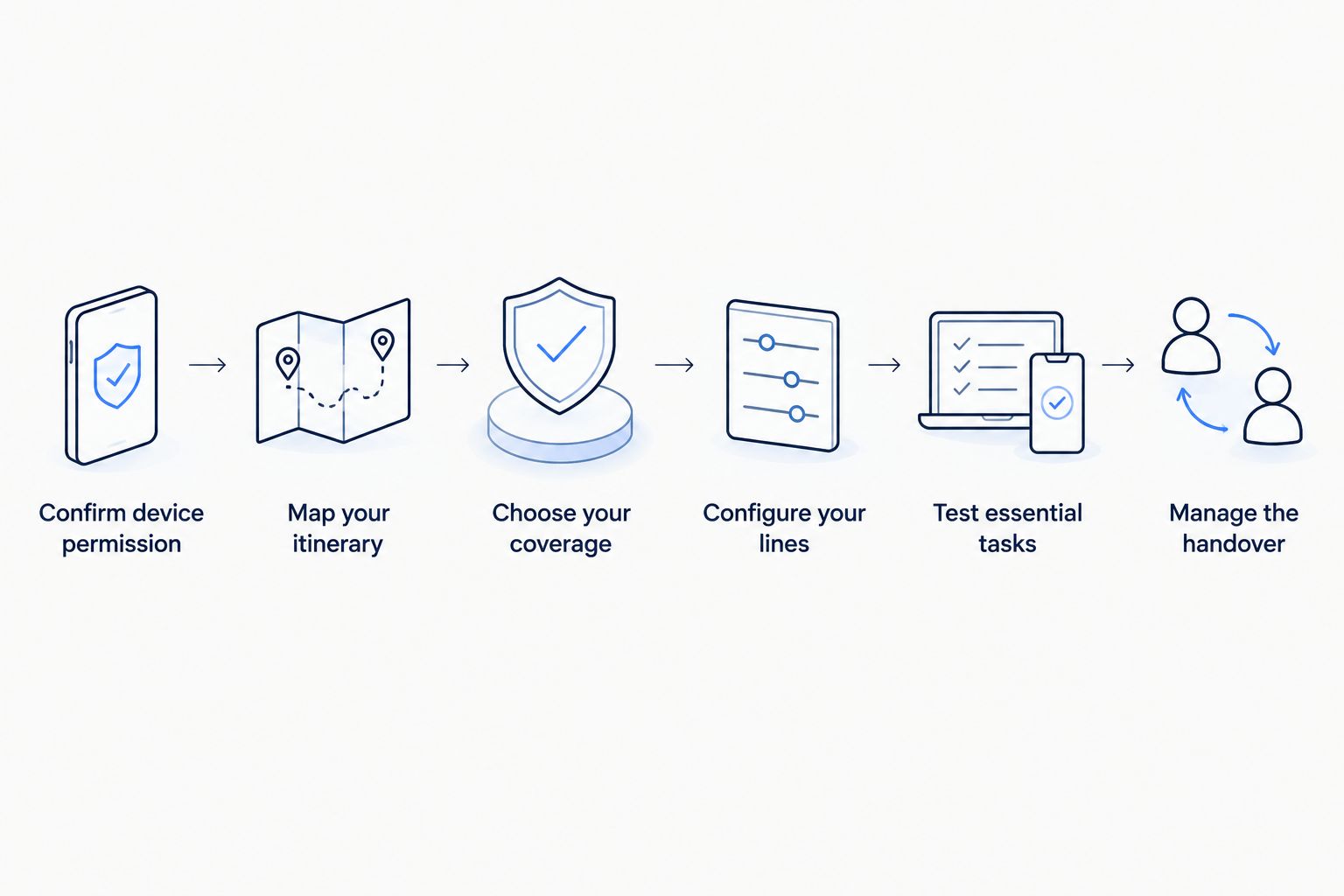
Confirm device permission
Start with a written checklist and your organisation’s existing travel instructions. Establish whether the handset is personal, employer-issued or restricted to a particular purpose. An unlocked, technically compatible phone still needs organisational permission if you intend to use it for work.
Ask the device administrator whether you can add another cellular profile, install a provider’s app and change roaming settings. Do not remove management controls or alter security settings to make a travel connection work.
Resolve permission before buying a plan. The right travel eSIM is unusable on a handset whose administrator prohibits installation. Conversely, approval for personal browsing does not automatically extend to official email or document access.
Schedule a 10-minute setup review with the responsible team, then record any unresolved questions. Keep the approval record in the channel your organisation uses for travel administration.
- Identify the device owner and person authorised to approve changes.
- Confirm whether additional eSIM profiles and provider apps are permitted.
- List the applications allowed for use during the trip.
- Record the procedure for a lost, seized or malfunctioning handset.
Map your itinerary
Use your calendar or a simple spreadsheet first. List the destination countries, transit stops where you need connectivity, arrival dates and any journey outside the main city. A country name alone is not a complete coverage check.
For a 2026 assignment, check the current destination list attached to the actual plan. A regional label does not establish that every country on your itinerary is included. Likewise, coverage in a country does not guarantee a signal at every residence, airport or meeting location.
Separate mobile-data needs from telephone-number needs. Maps, messaging applications and web access use data, while ordinary calls and SMS depend on the services attached to the relevant line. Do not assume a travel data package includes either.
This itinerary becomes your selection checklist. It also gives an administrator a clear view of what you need without sharing unnecessary details about meetings or movements.
- Include every country where you expect to turn on mobile data.
- Check plan validity against arrival, departure and possible extensions.
- Identify tasks that require ordinary voice calls or SMS.
- Download permitted offline maps and essential travel information.
Choose your coverage
Manually compare each candidate’s included countries, validity rules, data allowance and installation instructions. This prevents a broad label such as global from substituting for a destination-by-destination check.
A-sim offers single-country, regional and global travel eSIMs through its website or app, with usage management and top-ups through the app. This gives you an app-based route for managing travel connectivity rather than relying only on handset counters and separate purchase records.
Choose the smallest coverage footprint that includes your whole journey. Single-country coverage fits a stay within one included destination; regional coverage fits an itinerary contained within its listed countries. Global coverage fits only when its actual destination list matches your route.
The limitation is unchanged: convenient account management does not establish network coverage at a particular building or approval for official use. Confirm those separately, and inspect the selected plan rather than assuming every package has identical terms.
- Match the plan’s country list to your written itinerary.
- Check when validity begins and what triggers activation.
- Confirm hotspot rules if an approved laptop needs connectivity.
- Check how you will access the account if the phone becomes unavailable.
Configure your lines
Use the phone’s cellular settings to label each line by purpose, such as home, official or travel data. The available controls depend on your device, operating system and administrator restrictions, so follow instructions for the exact handset.
Where the device supports your intended combination, select the travel line for mobile data and inspect automatic data-switching settings. Leaving another line enabled for calls or SMS does not mean its roaming behaviour is harmless; review that carrier’s settings separately.
Installation and activation are not interchangeable. Follow the selected plan’s instructions before enabling it, especially when the validity period begins at installation or first network connection. Avoid deleting a profile as a routine troubleshooting step unless the provider instructs you to do so.
Keep the setup understandable. A colleague helping with a fault should be able to identify the data line without guessing from unfamiliar carrier labels.
- Label every active line with a clear purpose.
- Select the intended line for cellular data.
- Review data switching and roaming settings on each line.
- Keep installation instructions in an approved, accessible location.
Test essential tasks
Use a small, deliberate test rather than browsing until the phone seems fine. Where the plan supports pre-departure testing, check the permitted functions before leaving; otherwise prepare a landing checklist for the first connection at your destination.
A webpage loading proves internet access, not that every work service functions. Test each approved application that matters to the assignment. Authentication, organisation-managed access and ordinary mobile data are separate parts of the setup.
For arrival, make the test practical: confirm the data line, open an approved map and send a non-sensitive message through an approved channel. Test calls or SMS separately on the line intended to provide them.
Allow 15 minutes in your arrival schedule for these checks instead of making your first connection attempt immediately before a meeting. This is a planning allowance, not an activation-time promise.
- Confirm the phone has connected to a supported mobile network.
- Open an approved website and check basic browsing.
- Test the approved messaging and authentication methods you need.
- Check laptop tethering only if both policy and plan permit it.
- Record the fallback action if any essential task fails.
Manage the handover
Begin with the phone’s built-in data counter and a simple trip log. Check which line the counter measures and when its reporting period began; a counter covering earlier travel is a poor guide to the current assignment.
Review consumption after your first 24 hours abroad, then set a reminder suited to the remaining trip. A-sim provides app-based usage management and top-ups, which gives you another place to check the travel connection and manage additional data.
For your 2026 return checklist, include both account administration and device settings. Keep the records required by your organisation, then review which travel lines should remain enabled. Do not assume you can reinstall a deleted profile later.
If another staff member takes over an assignment, transfer the authorised process and relevant records—not personal credentials. Account ownership and device ownership need to remain clear.
- Review usage and the remaining validity period.
- Restrict unnecessary backups and application updates on mobile data.
- Keep receipts and approval records in the required system.
- Restore the intended home data line after returning.
- Follow provider and employer instructions before deleting profiles.
Compare connectivity options for embassy travel
The best option is the one that meets your mission’s rules and your actual communications needs. Use this table to separate the advantages of each approach from the checks it still requires. None of these options, by itself, establishes a secure channel for sensitive information.
| Option | Best for | Main advantage | Key limitation |
|---|---|---|---|
| Employer-approved home-carrier roaming | Staff instructed to retain an existing managed line | Keeps connectivity tied to the existing carrier arrangement | Destination access and roaming settings still need checking |
| A-sim travel eSIM | Staff permitted to manage travel data through an app | Single-country, regional and global choices, plus app-based usage management and top-ups | Device permission, destination inclusion and required voice or SMS services need separate confirmation |
| Local mobile service | Staff needing a destination-based telephone service | Can address local number requirements when the selected service includes them | Registration, device compatibility and service terms vary by provider and country |
| Organisation-provided connectivity | Staff whose work requires centrally controlled arrangements | Keeps selection and administration with the organisation | The organisation determines permitted use and supported destinations |
| Wi-Fi only | Non-essential access where approved Wi-Fi is sufficient | Avoids installing another cellular profile | Provides no mobile connection between usable access points |
For a long posting, evaluate local telephone requirements separately from arrival-day data. For a short visit, do not introduce an unfamiliar setup if your organisation already requires and supports a particular arrangement.
Common mistakes diplomats and embassy staff make
These are setup errors to exclude from your 2026 checklist, not reasons to abandon travel eSIMs. Each has a specific correction.
Treating a personal data line as an official communications channel
A separate travel profile does not turn a personal handset into an approved work device. Keep sensitive material within your organisation’s authorised systems, regardless of which mobile network supplies the connection.
Assuming mobile data includes a reachable phone number
An internet connection does not establish ordinary voice or SMS service. Keep a verified arrangement for calls, authentication messages and contacts who need to reach an actual telephone number.
Selecting coverage by region name alone
A regional package’s included-country list is the deciding evidence. Check every planned stop, including a transit country where you intend to leave the airport or use mobile data.
Depending on one handset for recovery
If the same phone holds your travel account, authentication method and only copy of support instructions, losing it complicates recovery. Prepare an employer-approved alternative access method before departure.
Leaving the return configuration unfinished
A successful trip does not end the administration. Restore the intended data line, review active profiles and preserve required records before closing the travel task.
FAQ
What is the best eSIM for diplomats?
The best eSIM for diplomats is one that your organisation permits and that covers every required destination. Choose by device compatibility, validity, communications needs and account recovery—not by installation convenience alone.
Can I install a travel eSIM on an embassy-issued phone?
Install a travel eSIM on an embassy-issued phone only with the required organisational permission. Technical compatibility does not override device-management controls or travel-security instructions.
Does an eSIM make diplomatic communications secure?
An eSIM does not by itself make diplomatic communications secure. Use approved devices, applications and communications procedures; a mobile connection is not permission to transmit sensitive information.
Can I keep my home number while using travel eSIM data?
You can keep a home line alongside travel data when your phone, carrier arrangement and device policy support that setup. Configure data, calls and SMS separately, and review roaming behaviour on the home line.
Should embassy staff choose regional or single-country coverage?
Choose single-country coverage for an itinerary contained within that destination, and regional coverage when its listed countries match the journey. Check validity and transit requirements before selecting either option.
Can I use a travel eSIM for emergency calls?
Do not rely on a travel data plan alone as your emergency-calling arrangement. Confirm the destination’s emergency procedures, your handset’s capabilities and the services available through each active line before travel.
What should I do if my travel eSIM stops working abroad?
Check the selected data line, remaining allowance, validity and provider instructions first. Use your approved fallback connection to contact support or your organisation, and avoid deleting the profile unless instructed.
One last thing
Document the fallback, not just the installation. For every 2026 assignment, write down what you will do if the phone is lost or the connection fails, and keep that procedure somewhere accessible without the handset. A well-installed eSIM cannot help you read recovery instructions stored only on an unavailable phone.