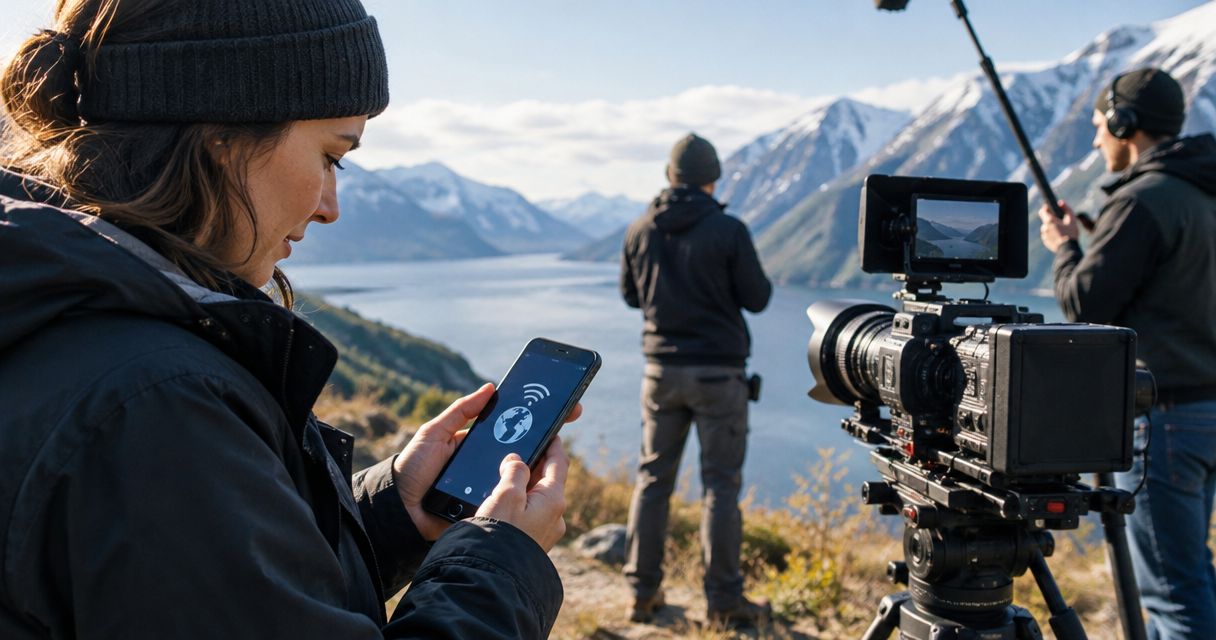
Film crews’ travel eSIM connectivity is mobile service installed digitally on compatible phones to keep production teams connected abroad. This 2026 guide to choosing an esim for film crews abroad separates everyday coordination from footage transfers, with a setup checklist for changing locations, mixed devices and cross-border schedules.
- Choose an esim for film crews abroad around locations, device compatibility and communication needs—not just the destination country.
- A-sim travel eSIMs suit crew members who want destination plans, usage tracking and top-ups through an app.
- Keep call sheets and location details offline; a travel eSIM still needs a usable mobile network.
- Treat footage uploads as a separate connectivity requirement, not an assumed phone-data capability.
Why travel eSIM connectivity matters for film crews
A location shoot needs more than a working group chat. Your transport coordinator needs directions, your producer needs revised documents, and your camera team needs a clear answer about where footage will go. Those tasks should not compete for an unplanned pool of phone data.
For your 2026 production, separate crew coordination, local calling and media transfer before choosing connectivity. A data connection supports internet-based tools, but it does not automatically include a local number, ordinary voice calls or SMS.
Work-issued devices introduce another constraint: permission. Check your employer’s mobile-device rules before installing anything, especially when phones hold production documents or confidential contacts. The guide to using an eSIM on a work-issued phone covers that decision separately.
Choose the connection around the job, not the other way around. A phone that opens a map successfully has not yet demonstrated that it can support a remote client review or a sustained upload.
How to set up an eSIM for a location shoot
Start with a shared document and each phone’s settings. You can establish the requirements manually before choosing a provider; app-based purchasing and usage management become useful once you know the route, devices and tasks.
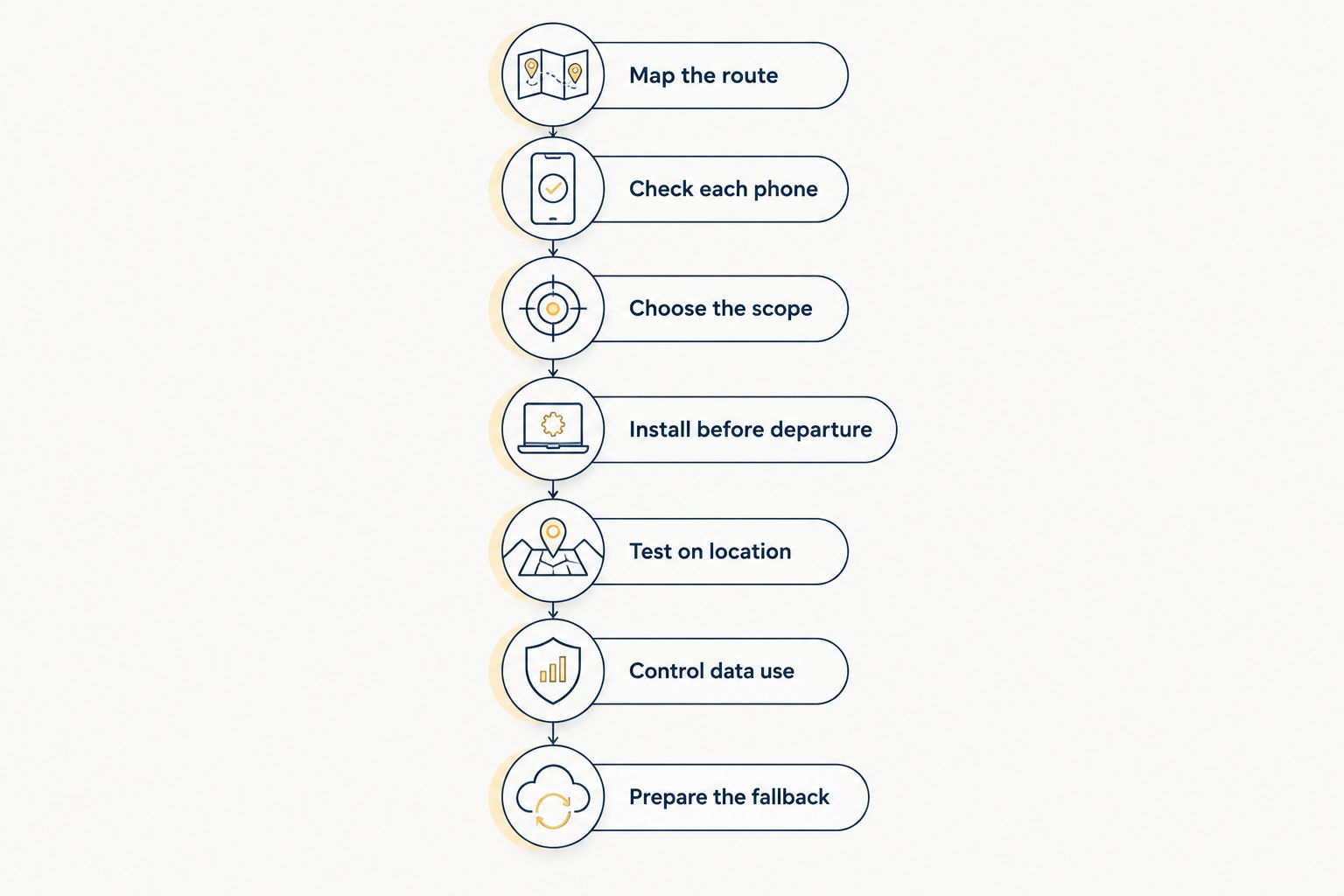
Map the route
Build your connectivity brief from the production itinerary, not just the arrival airport. Include accommodation, unit base, filming locations and border crossings. A plan covering the destination country does not establish reception at a particular exterior location or inside a building.
Use the same location names as the call sheet so nobody has to reconcile competing lists. Mark places where connectivity is essential and places where the crew can work offline. For a 2026 shoot with changing locations, assign someone to update this brief whenever production changes the route.
- List every country where crew members need mobile data.
- Mark filming locations, unit bases and overnight stops separately.
- Identify who needs contact while travelling between locations.
- Ask local production contacts about known reception problems.
- Save maps and arrival instructions for offline access.
Check each phone
Check the exact device model and its eSIM settings rather than assuming every iPhone or Android handset works. Support depends on the model and market variant. A carrier lock or an employer’s device policy can also prevent the intended setup.
Record compatibility against the person carrying the phone, not just their department. A replacement handset can change the answer. Your 2026 equipment check should cover the actual device travelling with the crew, including the phone used by a last-minute replacement.
Keep access to the home number separate from the decision about mobile data. Banking codes, production logins and ordinary calls can depend on that existing line.
- Confirm eSIM support for the exact handset model.
- Verify carrier-unlock status with the home carrier.
- Get approval for managed or work-issued devices.
- Check how the phone handles multiple active lines.
- Identify accounts that still depend on the home number.
Choose the scope
Compare single-country, regional and global coverage against your route. Start manually: put the itinerary beside each plan’s included destinations and validity terms. Do not assume that a regional label includes every country your production will visit.
A-sim offers travel eSIMs for single countries, regions and global travel, with access through its website or app. Its app supports usage management and top-ups. That provides an app-based path once you have confirmed the plan fits the shoot; it does not replace the coverage or device checks.
A-sim travel eSIMs are best for crew members who want to manage destination data and top-ups in an app. Confirm the selected plan’s details before assigning it to production work.
- Match included destinations to the complete itinerary.
- Check the validity period against travel and shoot dates.
- Confirm whether voice, SMS or only data is included.
- Verify tethering terms before planning laptop access.
- Keep footage-transfer requirements separate from coordination needs.
Install before departure
Read the installation and activation instructions while you still have a dependable connection. Installation and the start of plan validity are not necessarily the same event; follow the selected plan’s terms rather than applying a general rule.
For a 2026 departure, put setup into the travel checklist before airport transfers begin. Label the lines clearly so the crew member can distinguish the home connection from travel data under pressure. Keep instructions accessible somewhere other than an email that requires a fresh login.
Do not delete an installed profile as an improvised troubleshooting step. Reinstallation rules vary, so check the provider’s instructions first.
- Confirm what starts the plan’s validity period.
- Install using the provider’s documented method.
- Label the home and travel lines clearly.
- Select the intended line for mobile data.
- Apply data-roaming settings exactly as instructed for each line.
Test on location
Run a 10-minute coordination test at unit base before relying on the connection. This is a suggested production check, not a performance guarantee. Open the tools the crew will actually use: messaging, maps, document links and any required approval platform.
Test inside the working area, not only outside the accommodation. If tethering is permitted and needed, connect the actual laptop and open the actual service. A successful phone browser session does not prove that a laptop workflow is ready.
Repeat the relevant checks when the unit moves. Keep the result simple: usable for coordination, usable for the tested task, or not dependable enough for the job.
- Send and receive a message in the production channel.
- Open the current call sheet and location pin.
- Test an internet call if that is part of the workflow.
- Check permitted tethering with the intended laptop.
- Record reception gaps and the agreed alternative.
Control data use
Use the phone’s built-in data controls first. Check which apps use mobile data, pause unnecessary syncing and reserve large transfers for the connection approved by production. Do not build an allowance around an unsupported estimate of what every crew member consumes.
Set 2 usage checkpoints per shoot day: before crew movement and after wrap. These are recommended review times, not provider limits. They create a practical moment to spot unexpected consumption before the next working period.
A-sim’s app lets users manage usage and top up. Assign responsibility for those checks to each account holder unless production has confirmed another arrangement; do not assume there is a shared crew dashboard.
- Review usage before departure from unit base.
- Pause automatic photo backup over mobile data.
- Restrict operating-system and app downloads to approved connections.
- Check usage again after wrap.
- Decide who approves and completes any required top-up.
Prepare the fallback
Write down what the crew should do when mobile service fails. An eSIM is a way to access a mobile network, not a substitute for network coverage. It should not be the sole communication method for remote-location safety or an emergency plan.
Save essential contacts and movement instructions offline 24 hours before departure, then refresh them when the call sheet changes. That is a planning recommendation, not an activation requirement. Keep the fallback usable without logging into a cloud account.
A second subscription is not automatically independent backup. Check the underlying network where that information is available, and separate communications resilience from simply owning another plan.
- Save the current call sheet and meeting points offline.
- Record local emergency procedures with production.
- Agree on a regrouping point if messaging fails.
- Confirm an alternative connection for essential uploads.
- Carry charging equipment appropriate to the working day.
Compare connectivity options for film crews
For a 2026 location shoot, compare options by the task each must support. No single option below proves location coverage or upload capacity. Confirm those separately through plan terms, local information and on-site testing.
| Option | Best for | Main advantage | Key limitation |
|---|---|---|---|
| A-sim travel eSIM | Individual crew members managing travel data | Single-country, regional and global options, plus app-based usage management and top-ups | Device compatibility and selected-plan terms still need checking |
| Home-carrier roaming | Crew who want to retain their existing carrier arrangement | Keeps travel connectivity within the existing carrier relationship | Destination coverage, allowances and roaming terms depend on the home plan |
| Local carrier SIM or eSIM | Shoots needing a destination-specific service | Lets production assess local carrier plans directly | Registration, device support and included services need checking |
| Dedicated mobile router | Shared connectivity for an agreed group of devices | Provides a separate device for a shared connection | Needs power, suitable coverage and confirmation of device capacity |
| Venue or accommodation Wi-Fi | Stationary tasks at a known base | Gives laptops an alternative to phone tethering | Access, security and performance depend on the venue |
Use individual mobile connections for people who move independently. Assess a shared connection where people and equipment remain together. Neither arrangement should become the media-transfer plan without a successful test of that specific workflow.
Common mistakes film crews make
Treating coordination data as a footage-transfer plan
Messages and location pins are different workloads from camera-original transfers. Give media delivery its own connection, deadline and fallback. Ask the relevant production or post-production lead to approve the workflow rather than leaving it to whichever phone has reception.
Assigning the same setup to every department
A driver, production coordinator and data wrangler do not necessarily need the same services. Map connectivity to tasks and movement. Confirm ordinary calling needs separately from app-based communication, especially when local suppliers expect a telephone number.
Sharing access without checking permissions
Do not assume a consumer account supports central crew administration, shared credentials or pooled allowances. Confirm the actual arrangement before making it part of production procedure. Keep sensitive documents and account access under the production’s security rules.
Testing only at the hotel
Hotel reception says little about a basement set, rural access road or crowded event location. Test where the task will happen. For your 2026 location notes, record failed checks as clearly as successful ones so the next department does not repeat the same assumption.
Leaving data settings unchanged
Background backup and laptop syncing can consume the connection intended for working communication. Review those settings before tethering. Keep the home line’s roaming choices deliberate, too; selecting a travel data line does not replace checking every relevant setting.
FAQ
What's the best eSIM setup for a film crew working abroad?
The best setup matches each crew member’s device, route and communication tasks. Use travel data for tested coordination workflows, confirm voice and SMS needs separately, and arrange a dedicated fallback for essential media transfers.
Can a film crew use A-sim to manage travel data?
A-sim supports travel eSIM access through its website or app, with usage management and top-ups through the app. Check each traveller’s device and selected plan before making it part of the production setup; do not assume central crew administration is included.
Can I upload footage using a travel eSIM?
A travel eSIM can carry uploads over a supported mobile connection, but it does not guarantee the capacity required for footage delivery. Check the plan’s data and tethering terms, then test the actual transfer workflow at the working location.
Will a travel eSIM give our crew local phone numbers?
A travel eSIM does not automatically include a local phone number. Check whether the selected plan includes ordinary voice calls and SMS, and make a separate arrangement when production needs those services.
Should we install crew eSIMs before flying?
Prepare installation before flying, but follow the selected plan’s instructions about activation and validity. Installation and the start of service are not always the same event, so confirm the trigger before completing setup.
Will an eSIM work at a remote filming location?
An eSIM works only where its supported mobile network provides usable service. Check local information and test at the location; keep offline instructions and a production-approved communication fallback for coverage gaps.
Can everyone share one crew member’s phone connection?
Phone tethering is an option only when the device and selected plan permit it. Test the intended devices and workload, and account for battery use and the fact that the connection leaves when the phone’s owner moves away.
One last thing
Test connectivity while the crew is moving, not just while everyone is together. A shared hotspot can work at unit base and then leave with the person carrying it. During the pre-shoot check, separate the coordinator, transport lead and laptop user as they would be during the working day. Confirm that each can still complete the task assigned to them.