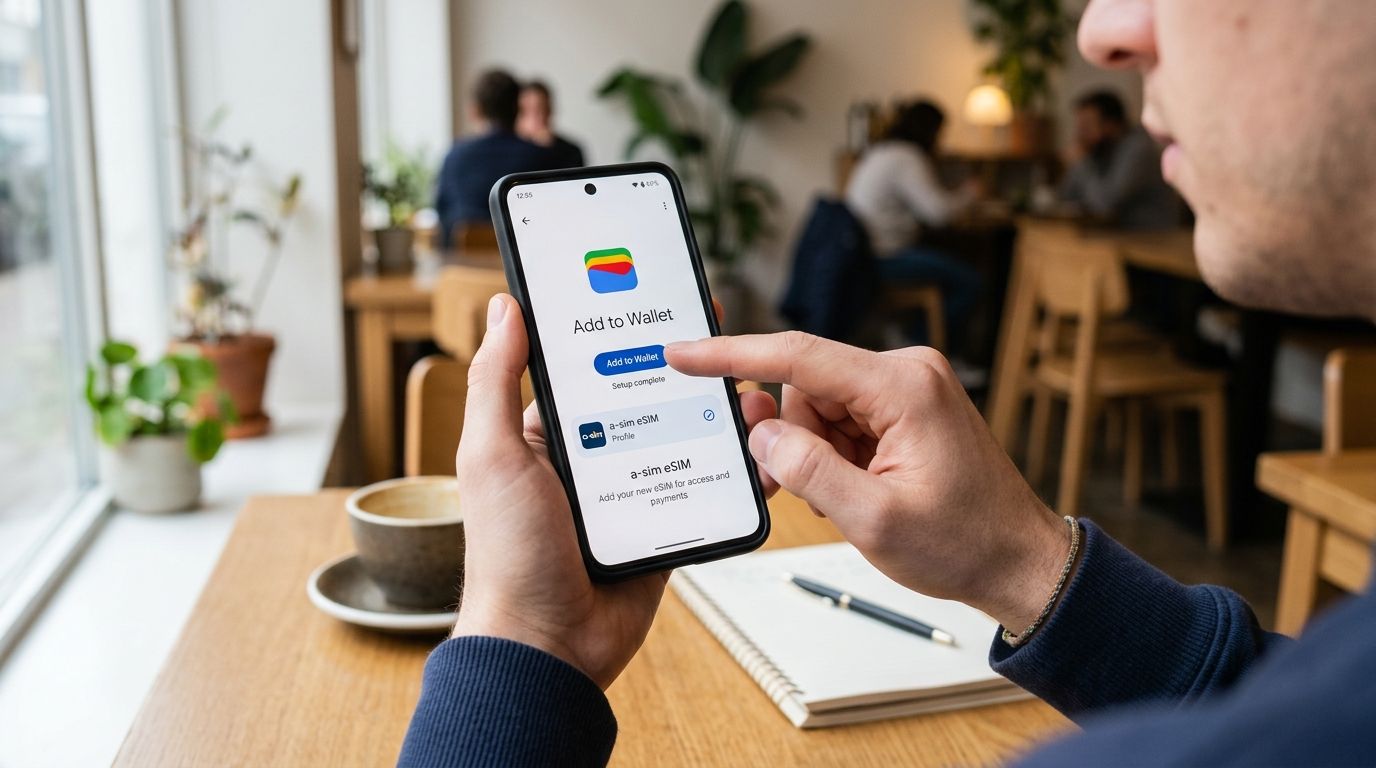
Google Wallet doesn't hold eSIM profiles — it stores boarding passes, loyalty cards, and transit tickets, not carrier SIM data. If you searched "esim google wallet" hoping to drop your A-sim plan into the Wallet app, the real workflow lives one layer down: Android's built-in eSIM manager or the A-sim app's one-tap install. Here's the actual path, plus what to do if your phone throws an error mid-setup.
- Google Wallet doesn't install eSIMs — Android's eSIM manager (Settings > Network & Internet) does the actual work.
- A-sim eSIM installs in under 2 minutes on Android 10 or later using the app's one-tap method.
- iPhone users get a separate one-tap flow through the A-sim app, not through Wallet either.
- Wi-Fi during install prevents the most common 2026 activation failure: 'no service after install'.
- Dual-eSIM phones need one profile deleted or disabled before a second A-sim eSIM can activate.
Why this matters
Searches for "esim google wallet" spike every travel season because the terminology is genuinely confusing. Apple Wallet and Google Wallet both manage passes and cards, so travelers assume the same app manages phone connectivity. It doesn't, on either OS.
The eSIM standard (GSMA RSP) writes carrier profiles directly to your phone's embedded SIM chip through the operating system, not through a wallet app. A-sim's one-tap install uses this same system-level path — the app just skips the QR code scan for supported phones. Knowing this before you start saves a wasted 10 minutes hunting through Google Wallet settings for a toggle that doesn't exist there.
Before you start
- A phone with eSIM support and Android 10 or later (or iOS 16+ for iPhone). Most phones sold since 2019 qualify, but budget models and some carrier-locked units strip out eSIM support entirely.
- An active Wi-Fi or cellular connection during the install step — eSIM profiles download live from the carrier server and fail silently if your connection drops mid-transfer.
- The non-obvious gotcha: if your phone already has two eSIM profiles installed (many phones cap at 2-5 stored, but only 1 active at a time), you need to delete or disable one before A-sim's profile will activate. Skipping this step is the #1 reason installs stall at the "downloading profile" screen.
Set up A-sim on Android
Install the eSIM through the app
- Open the A-sim app and sign in with your account.
- Tap Install eSIM on your purchased plan.
- Select Install directly on this device when prompted — this is the one-tap path that skips QR scanning.
- Confirm the Add eSIM dialog that Android surfaces automatically.
Expected result: within 2 minutes, your phone shows a new mobile network entry with the destination country name. For a full manual walkthrough with screenshots, follow the step-by-step Android setup guide.
Configure network settings
- Go to Settings > Network & Internet > SIMs.
- Tap the new A-sim entry and toggle Use SIM on.
- Under Mobile data, select the A-sim profile so data routes through it instead of your home carrier.
- Turn on Data roaming if you're using the eSIM outside its home region — A-sim profiles are pre-provisioned for their destination, but this toggle still needs to be flipped manually on most Android builds.
Expected result: the status bar shows a signal icon for the A-sim network, and a quick speed test in the app confirms data is flowing.
Adding A-sim to iPhone instead
iPhone uses a different one-tap mechanism tied to iOS's native eSIM Carrier framework rather than Android's SIM manager, but the same rule applies: there's no Google Wallet or Apple Wallet step in either process. The install happens through Settings > Cellular or directly through the A-sim app's quick-install button. If you're on iPhone, skip the Android steps above and use the dedicated iPhone eSIM guide instead — it covers the Face ID confirmation step Android doesn't have.
Troubleshooting
- "eSIM already installed" error: your phone hit its profile storage limit. Delete an unused eSIM under Settings > Network & Internet > SIMs before retrying.
- No signal after install: confirm Data roaming is on and that mobile data is set to route through the A-sim line, not your home SIM.
- Install stalls at "downloading profile": switch from cellular to Wi-Fi (or vice versa) — some carriers throttle the RSP download handshake on certain networks.
- QR code says already scanned: A-sim eSIM profiles are single-use. Request a fresh install link from the app rather than rescanning an old code.
- Wrong network name showing: this is cosmetic. The profile still routes data correctly; the label just reflects the underlying carrier partner, not A-sim's branding.
Customize your setup
Once the eSIM is live, manage everything else through the app rather than phone settings: check remaining data, top up before a plan runs out, or switch which SIM handles calls versus data. If you're heading somewhere with patchy coverage, cross-check your destination against a country-specific plan — the best eSIM options for Japan and similar country guides break down coverage by region, which matters more than the install method once you land.
For travelers juggling work and personal lines on one phone, the best eSIM plans ranked by data speed guide is worth a read before you install a second profile — dual-eSIM phones split bandwidth differently depending on which profile is set active versus data-only.
FAQ
Can you add an eSIM to Google Wallet?
No. Google Wallet stores passes, tickets, and loyalty cards, not carrier eSIM profiles. eSIM installation happens through Android's Settings > Network & Internet > SIMs menu or directly through a carrier app like A-sim.
Why does my eSIM search keep leading to Google Wallet?
Search engines conflate 'digital wallet' terminology with SIM management because both are phone-based digital storage. The actual eSIM install path is a separate system menu, unrelated to the Wallet app.
How long does it take to install an A-sim eSIM?
Most installs finish in under 2 minutes on Android 10 or later, provided you have an active Wi-Fi or cellular connection during the download step.
Do I need to scan a QR code to install A-sim?
Not on supported phones. A-sim's app offers a one-tap install that skips the QR step entirely; older or unsupported devices fall back to QR scanning.
What if my phone already has two eSIMs installed?
Most phones store 2-5 eSIM profiles but only run one active at a time. Delete or disable an existing profile in Settings before installing a new A-sim eSIM.
Does A-sim work on both iPhone and Android?
Yes. iPhone uses iOS's native eSIM Carrier framework with a one-tap install through the app, while Android uses its own SIM manager under Settings > Network & Internet.
Why is there no signal after installing my eSIM?
Data roaming is usually still switched off after install. Turn it on under the eSIM's network settings and confirm mobile data is routed through the new profile, not your home SIM.
One last thing
The single biggest install failure in 2026 isn't a bad eSIM — it's a phone still holding two old profiles from previous trips. Clear out expired eSIMs under Settings > Network & Internet > SIMs before every new install; it turns a 10-minute troubleshooting session into a 2-minute one-tap setup.