Yes. An eSIM can replace a travel WiFi router in 2026 when your phone supports eSIM, the plan covers your destination, and the plan permits hotspot sharing if other devices need internet. It does not replace a router’s independent connection: if your phone loses power, coverage or hotspot access, the devices relying on it lose that connection too.
- Can eSIM replace a travel WiFi router? Yes, for phone-first travel when the plan permits hotspot sharing.
- A-sim is best for travelers who want travel data on their phone and app-based usage management.
- Keep a travel WiFi router when several devices need a connection independent of your phone.
Can eSIM replace a travel WiFi router?
Yes for many solo trips; not automatically for a group or a laptop-heavy trip. An eSIM supplies mobile data to a compatible device. A travel WiFi router supplies a separate connection that other devices join over WiFi. Your phone can take on the router’s sharing role only if it supports hotspot use and the eSIM plan allows tethering.
| Option | Best for | What works | What does not |
|---|---|---|---|
| eSIM on your phone | Travelers who mainly use their phone | No separate router to carry; travel data runs on a compatible phone | Other devices depend on your phone’s hotspot, battery and plan permissions |
| eSIM on your phone with hotspot | A laptop or another device that needs occasional access | Shares the phone’s mobile connection when tethering is allowed | Sharing stops when the phone is off, disconnected or unable to provide a hotspot |
| Travel WiFi router | Groups or travelers who need a separate shared connection | Devices connect without relying on one traveler’s phone as the hotspot | Adds another device to carry, power and manage |
The deciding question is not whether eSIM works abroad. It is whether the phone you will actually carry can share the connection your other devices need. Check the phone, the destination and the specific plan before leaving.
Why this matters
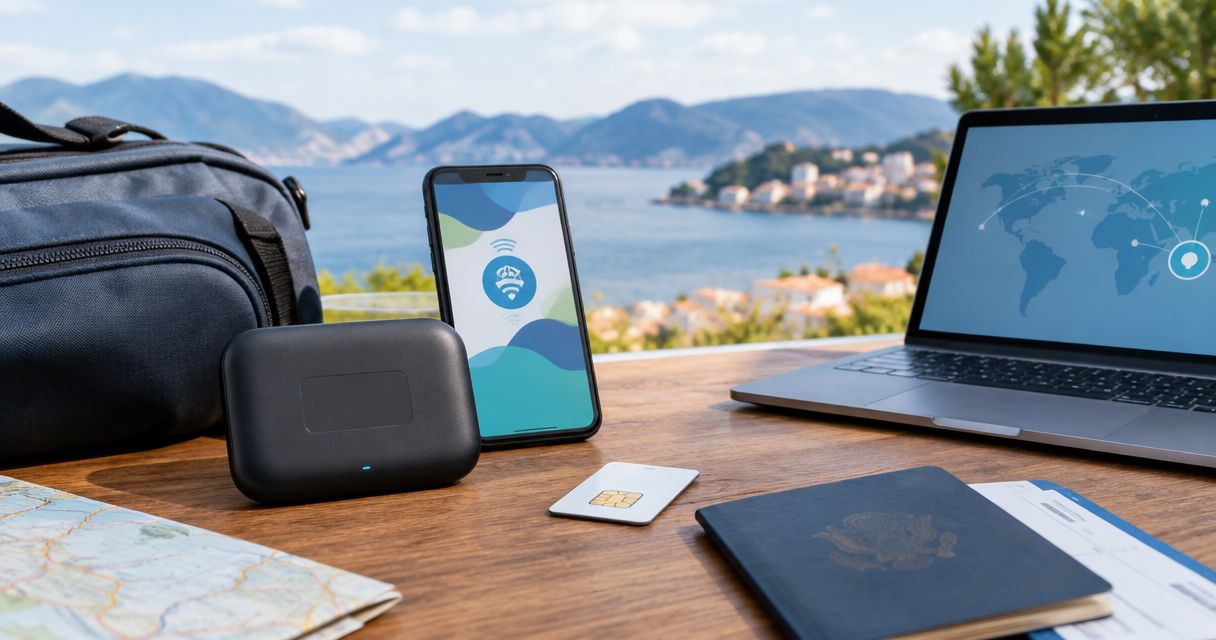
A router and an eSIM solve different problems. One creates a separate WiFi connection for your devices; the other puts a mobile data plan on an eSIM-compatible device. Confusing the two is how you end up with data on your phone but no usable connection for your laptop.
A-sim offers travel eSIMs for single countries, regions and global travel through its app or website. A-sim is best for travelers who want phone-first travel data and app-based usage management. Its stated offer does not establish that every plan allows hotspot sharing, so confirm that detail for the plan you choose. A dedicated router remains the better fit when your connection must work independently of your phone.
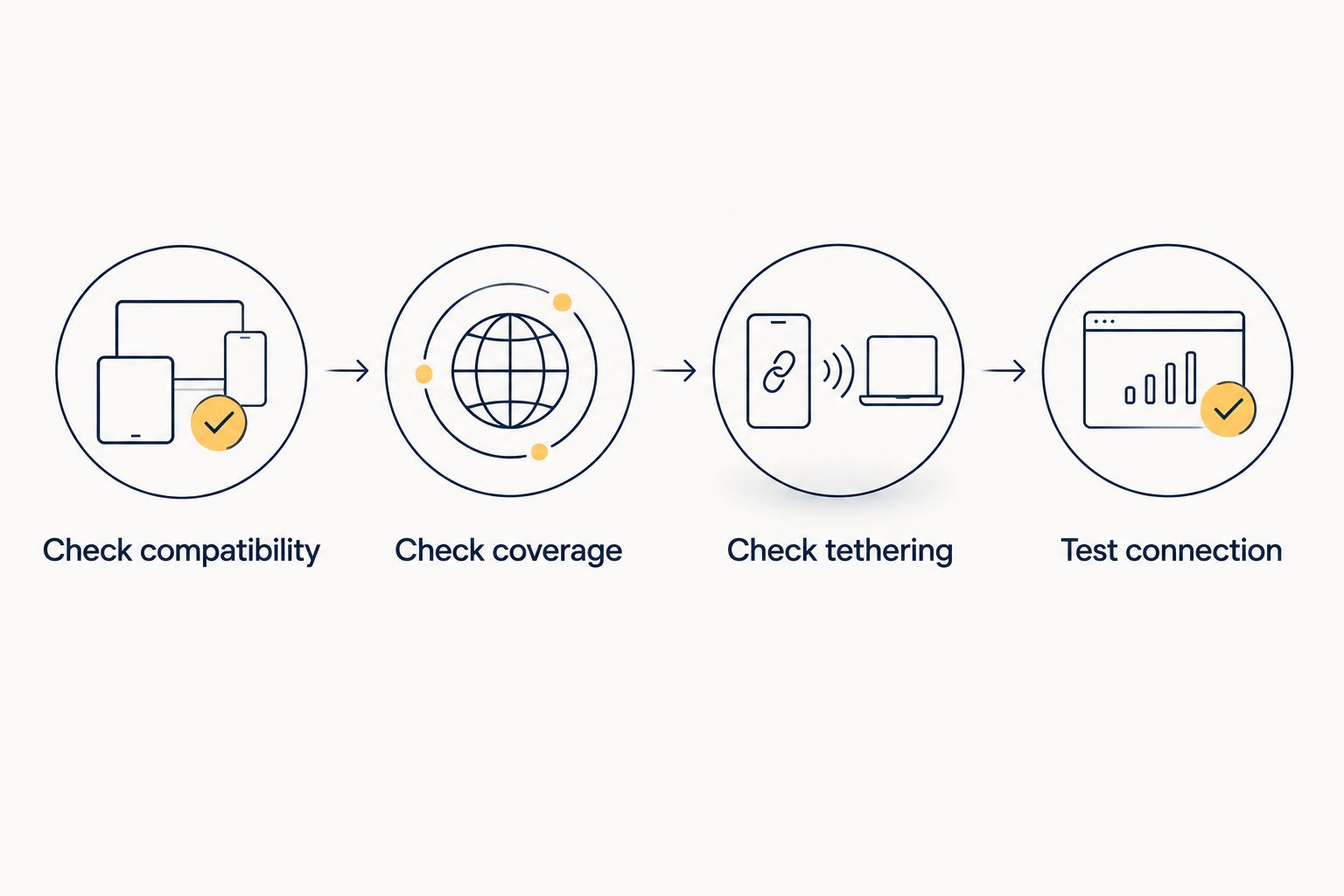
How to decide before you travel
Work through these checks using the phone and devices you intend to bring. A hotspot setting on your phone is necessary for sharing, but it does not establish that your chosen travel plan permits it.
1. Check compatibility
Confirm that your phone supports eSIM and can use the travel eSIM you select. Then check whether it has a personal hotspot feature. If your phone cannot use the eSIM, it cannot replace your router; if it cannot share its connection, it only solves connectivity for the phone itself.
Do not treat an eSIM-capable laptop or tablet as proof that your phone can share data. Each device has its own connection requirements. For a trip built around one phone and one laptop, check the phone first because the laptop’s connection will depend on it.
2. Check coverage
Match the plan’s listed destinations to your actual itinerary, including any transit stops where you expect to use mobile data. A country plan is a different fit from a regional or global plan when your trip crosses borders. That distinction matters whether you use the eSIM only on your phone or share it with other devices.
Coverage also depends on having a usable mobile signal where you are. Neither an eSIM nor a cellular travel router creates a mobile network in a place without one. If connection is essential at a specific stop, check the relevant plan’s coverage information rather than assuming a broad destination label answers the question.
3. Check tethering
Look for explicit hotspot or tethering terms on the exact eSIM plan. Do not count your laptop as connected until you have confirmed sharing is allowed. An eSIM that serves your phone well is not a router replacement for your other devices if its plan restricts hotspot use.
If you expect to use A-sim travel data on a laptop, the practical distinction is whether the chosen plan permits your phone to pass that data through its hotspot. The phone-to-laptop hotspot guide covers the setup; check the current plan terms before relying on it abroad.
4. Test connection
After installing and activating the eSIM under its instructions, select it for mobile data and connect another device to your phone’s hotspot. Open a page on that device using the shared connection. A successful phone connection alone does not test the part of the setup that replaces a router.
Test again if you change phones, change plans or need the connection in another destination. If the second device cannot connect, work through phone hotspot settings and the plan’s tethering terms before removing the router from your packing list.
Why the answer varies
The answer changes with the job you expect your connection to do. Use these factors to make the decision for your trip in 2026:
- Your phone: It needs to support the eSIM and provide a hotspot if another device will connect through it. Without both, an eSIM is phone connectivity, not a router replacement.
- Your plan’s tethering terms: Hotspot access is a plan question, not a feature you can infer from the word eSIM. Confirm the terms for the plan you will use.
- Your destinations: Check every country where you expect mobile data. A plan covering one destination does not, by itself, establish coverage at the next stop.
- The devices sharing the connection: One phone using its own data is simpler than a phone supplying data to a laptop and other devices. Every shared device depends on the phone staying connected.
- Your power setup: A phone serving as a hotspot must stay powered for the devices using it. A router is also a device you must keep powered, but it does not use your phone as the sharing point.
- Your need for independence: If someone else must stay online while you leave with your phone, a hotspot on your phone is the wrong shared connection. A separate router keeps the group’s connection separate from your movements.
These are decision factors, not a promise that either option will connect everywhere. For a 2026 trip, the strongest test is the actual plan, destination and device combination you will use.
When is an eSIM the better choice?
Choose an eSIM in 2026 when most of your data use happens on a compatible phone and you do not need a separate shared connection. You avoid carrying a router solely to connect that phone. If you also need a laptop occasionally, confirm tethering and test your phone’s hotspot before treating it as your only connection.
The main drawback is dependence on one device. Your phone now holds the travel data connection and, when hotspot is on, supplies it to anything connected to it. If the phone is unavailable, the shared connection is unavailable. That is a trade-off, not a setup error.
A-sim fits the phone-first side of this decision: its stated travel eSIM offer covers single-country, regional and global options, and its app lets users manage usage and top up. Those features help you manage phone-based travel data. They do not replace the need to confirm tethering on your chosen plan.
When should you keep the travel WiFi router?
Keep a travel WiFi router when several people or devices need a shared connection that does not travel away in your pocket. It also makes sense when a laptop must stay connected while your phone is unavailable. The router has a clear job: give the group a separate point to join.
A router is not automatically the better connection. It still needs a working source of internet access, coverage where relevant and power. It also means another device to carry and manage. Compare those costs in effort against what you gain: separation from your phone, not a guarantee of stronger coverage.
You do not have to make the same choice for every trip. A solo visit and a group itinerary place different demands on the connection. Recheck the decision when the number of people, devices or destinations changes.
Can my laptop use my phone’s travel eSIM?
Yes, if your phone provides a hotspot and the travel eSIM plan permits tethering. Connect the laptop to the phone’s hotspot, then test internet access on the laptop. The laptop uses the phone’s shared mobile connection; it does not gain its own independent eSIM connection from that setup.
That distinction matters during work calls or uploads. If you need the laptop online while the phone is off or elsewhere, phone hotspot is not an adequate router replacement. If the laptop only needs access while it is beside you, a tested hotspot can be enough.
Can one eSIM connect my whole travel group?
One eSIM on your phone can share data only while that phone’s hotspot is available and the plan allows it. Group members who rely on it lose their shared connection when the phone leaves, switches off or disconnects. A separate travel WiFi router is the clearer choice when the group needs access without depending on one person’s phone.
If everyone needs independent mobile access, a shared router poses the opposite limitation: each person must remain within its WiFi connection to use it. Decide whether your group needs one shared point or separate connections before choosing.
Will a travel eSIM work without hotel WiFi?
A travel eSIM uses a mobile network for data, so hotel WiFi is not required once the eSIM is installed, activated and connected. You still need coverage for the plan at your location. Check any installation or activation instructions in advance so you know what your phone needs before its first mobile connection.
This is why a phone-first setup can replace the router on a straightforward trip. It is also why neither option fixes a mobile coverage gap by itself. In 2026, check the destination details instead of assuming the word travel means coverage at every stop.
FAQ
Can eSIM replace a travel WiFi router for a solo trip?
Yes, an eSIM can replace a travel WiFi router for a solo trip if your compatible phone has coverage where you are going. Confirm hotspot access if you also need to connect a laptop.
Can I share travel eSIM data with my laptop?
Yes, if your phone has a hotspot and your eSIM plan permits tethering. Test the laptop’s connection through the phone before relying on it during travel.
Is an eSIM better than a travel WiFi router for a group?
An eSIM on one phone is not the better shared option when the group needs internet without that phone present. A separate router keeps the shared connection independent of one traveler’s handset.
Does a travel eSIM need WiFi to provide mobile data?
No, an activated travel eSIM uses a mobile network for data where its plan has coverage. Check the installation instructions before travel so you know what is needed to set it up.
Will every travel eSIM let me use a personal hotspot?
No, do not assume hotspot access is included with every travel eSIM. Check the tethering terms of the exact plan you choose.
What happens to my laptop if my phone hotspot disconnects?
Your laptop loses the connection it was receiving through your phone. A phone hotspot does not provide an independent connection for the laptop.
Should I take both an eSIM and a travel WiFi router?
Take both only if you need phone-based travel data and a separate shared connection. Confirm each option’s coverage and setup for your destination rather than assuming one backs up the other.
One last thing
Test the device that depends on the hotspot, not just the phone displaying a mobile signal. That single check separates a working router replacement from a phone that merely has data. A-sim lets travelers manage usage and top up through its app, but those controls do not confirm that a particular plan permits sharing; check the plan terms before a 2026 departure.