
An eSIM works without wifi for everyday use once it's installed and activated — it connects to a local cellular network exactly the way a physical SIM does. The wifi requirement is limited to the one-time setup step, not to daily use, which is the part most travelers get confused about before a 2026 trip.
- Does esim work without wifi? Yes, for calls, texts and data once it's installed and activated on a cellular network.
- Installing an eSIM (downloading the carrier profile) almost always needs wifi or an active mobile data connection first.
- A-sim's eSIM installs in one tap through the app, then runs on local 4G/5G with zero wifi dependency after that.
- Airplane mode blocks all cellular signal, so an eSIM won't connect without wifi in that mode either.
Why This Matters
Travelers land, phones go straight to airplane mode off, and the first question is whether the A-sim eSIM they installed at home will actually pick up signal without hunting for airport wifi. It will — but only if the install already happened. Confusing the setup step with daily use is the single most common mistake people make with eSIM data in 2026, and it's the reason travelers waste time chasing wifi they don't need.
Getting this distinction wrong either means arriving with a half-installed eSIM that won't activate, or wasting battery searching for wifi you don't actually need once the profile is on your phone.
Does an eSIM Work Without Wifi?
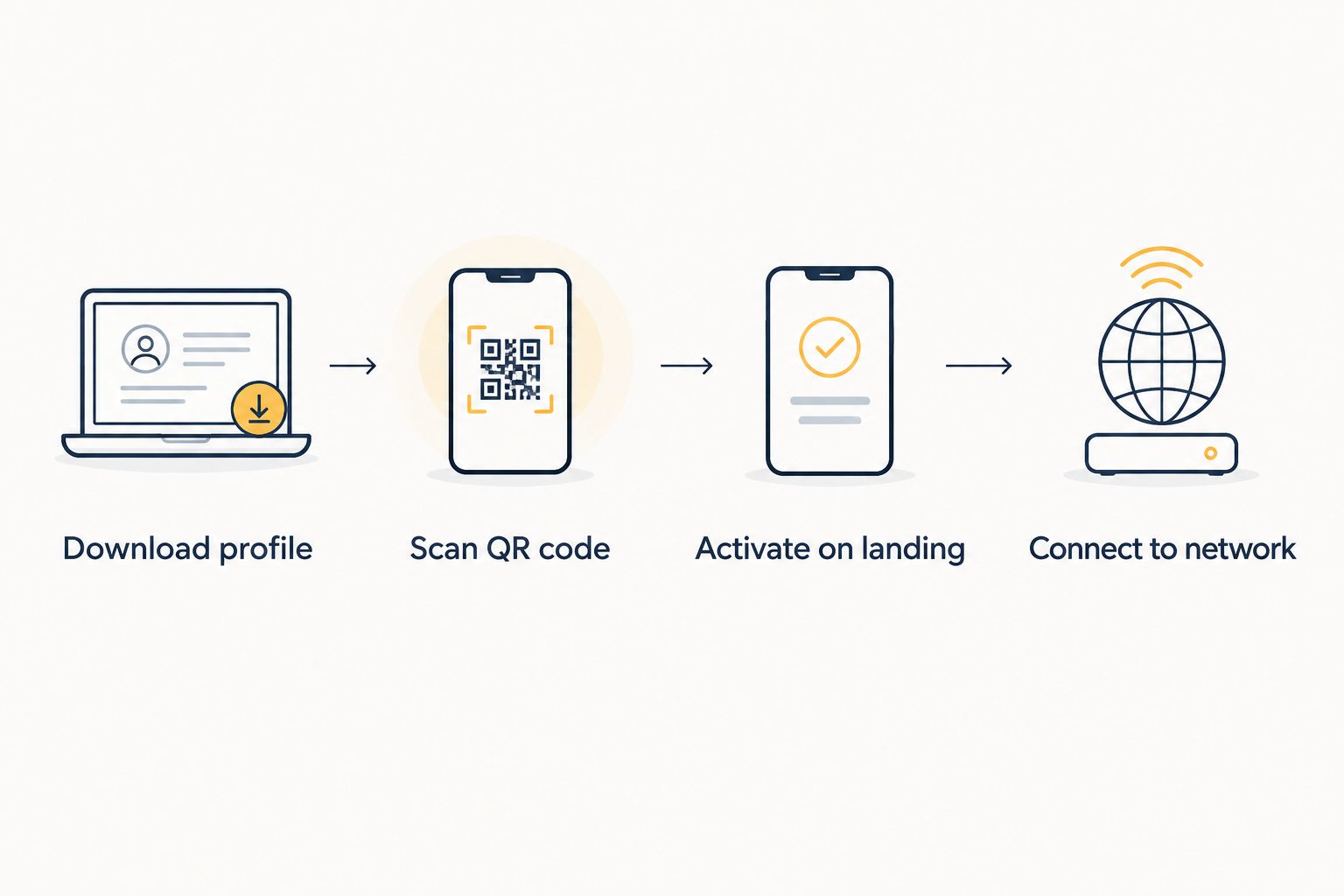
An eSIM's relationship with wifi splits cleanly into two phases: setup and use. The table below shows exactly where wifi matters and where it doesn't.
| Phase | Wifi Needed? | What's Happening |
|---|---|---|
| Downloading the eSIM profile | Yes, or active mobile data | Your phone pulls the carrier profile file from the provisioning server |
| Scanning the QR code / one-tap install | Yes, for the initial handshake | Your device verifies the profile against the carrier's database |
| Activating the eSIM after landing | No | The eSIM connects to a local cellular tower directly |
| Calls, texts, maps, browsing | No | Runs entirely on cellular data, same as a physical SIM |
The verdict: an eSIM needs an internet connection to install, but zero wifi to use. Once the carrier profile is on your phone, it behaves like any other SIM card sitting in a tray.
Installing an eSIM: Wifi Required
Setup is the only stage where wifi (or mobile data) is non-negotiable. Your phone has to reach the carrier's provisioning server to pull down a small profile file, and that handshake needs some form of internet — it can't happen over a dead connection.
The good news: you don't need airport wifi for this. Most travelers install their eSIM in one tap the night before departure, on home wifi, days ahead of the flight. If home wifi isn't an option, your phone's existing mobile data — from your home SIM's roaming plan — works just as well for the download.
What doesn't work: trying to install an eSIM with zero internet connection of any kind, wifi or cellular. The profile file has to come from somewhere.
Using an eSIM Once Installed: No Wifi Needed
Once the eSIM profile sits on your phone, wifi drops out of the picture entirely. Landing, switching off airplane mode, and letting the eSIM grab a local tower is the whole process — no network hunting required.
From there, everything runs on cellular data: maps while you're driving, messaging apps, video calls. You can even top up your eSIM data automatically through the A-sim app using the same cellular connection, no wifi network in sight. That's the whole point of an eSIM over a physical SIM card hunt at arrivals — it's already working before you clear customs.
“The wifi requirement for an eSIM ends the moment installation finishes — everything after that runs on cellular signal alone.”
Why eSIM Wifi Requirements Vary
Not every eSIM install feels identical, and a few factors decide how much wifi dependency you'll actually notice:
- iOS vs Android install method — one-tap eSIM Quick Transfer on iPhone behaves differently from a QR-code scan on Android, though both need a working connection.
- Timing of setup — installing before departure on home wifi is smoother than trying to install cold at an unfamiliar airport.
- Carrier profile size and server response — a slow provisioning server can stretch a wifi-dependent install from seconds to a couple of minutes.
- Dual SIM or dual eSIM configurations — phones running two profiles sometimes need an extra verification step that leans harder on a stable connection.
- Captive portal wifi — airport or hotel wifi that requires a login page can silently block the profile download even though you're "connected."
- Existing mobile data — if your home SIM still has active roaming data, you can skip wifi for setup entirely and use that instead.
Can I install an eSIM without any wifi at all?
You can install an eSIM without wifi if your phone already has an active cellular data connection to fall back on, whether that's your home SIM's roaming data or another active eSIM. Without either wifi or mobile data, the provisioning server simply can't be reached, so the install stalls.
Does an eSIM work in airplane mode without wifi?
No, an eSIM won't connect in airplane mode regardless of wifi, because airplane mode disables every radio on the phone at once — cellular included. Turning off airplane mode after landing is what lets the eSIM find a local tower, wifi or not.
Do I need wifi to activate an eSIM at the airport?
Most arrivals halls offer free wifi, which is the easiest fallback if your eSIM wasn't installed before the flight, but it's not the only option. If your home carrier's roaming data is still active, that connection alone is enough to finish activation without touching airport wifi.
Install your eSIM before you fly
Set it up on home wifi tonight, then forget about wifi for the rest of the trip.
FAQ
Does an eSIM need wifi to work?
No, an eSIM does not need wifi to work once it's installed and activated — it runs on the local cellular network just like a physical SIM. Wifi is only required during the initial installation step, not for daily use.
Can I set up an eSIM without any internet connection?
No, setting up an eSIM without any internet connection isn't possible because your phone has to download the carrier profile from a provisioning server. Wifi and existing mobile data both work for this step, so either satisfies the requirement.
Is an eSIM better than wifi calling for travel?
An eSIM gives you a full local cellular connection for calls, texts and data, while wifi calling only works inside a wifi network's range. eSIM data keeps working the moment you step outside a wifi zone in 2026.
Does eSIM work in airplane mode?
No, an eSIM doesn't work in airplane mode because airplane mode disables all cellular radios, not just wifi. You have to switch off airplane mode for the eSIM to reconnect to a tower.
Do I need wifi every time I use my eSIM?
No, wifi is only needed once during setup — after that, your eSIM connects automatically to available cellular towers wherever you travel in 2026 without any wifi involved.
Can I install an eSIM before I leave home?
Yes, installing an eSIM before you leave home is the recommended move since home wifi is faster and more reliable than airport or hotel wifi. The eSIM stays inactive until you land and switch it on.
What happens if I lose wifi mid-installation?
If wifi drops mid-installation, the eSIM profile download usually fails and you'll need to restart once you're back online. A partial download won't activate, so the fix is simply reconnecting and trying again.
One Last Thing
Most travelers install their eSIM the night before departure on home wifi, then never open a wifi settings menu again for the rest of the trip — the eSIM just switches onto the local network the second the plane lands. If you're still asking whether an eSIM works without wifi mid-trip, the honest answer is you've already answered it: it's working right now. Skip the airport wifi hunt in 2026 and install before you go.