Journalists’ travel eSIM connectivity is downloadable mobile service with the aim of keeping overseas reporting connected to the newsroom. This 2026 guide explains how to choose an eSIM for journalists abroad around assignment locations, file uploads and backup communications—not just the destination on your ticket.
- Choose an eSIM for journalists abroad by reporting location, upload needs and backup access—not country coverage alone.
- A-sim offers country, regional and global travel eSIMs with app-based usage management and top-ups.
- Test newsroom uploads and approved messaging before departure; a connected phone does not prove your reporting workflow works.
- An eSIM provides connectivity, not source anonymity or protection against a mobile-network shutdown.
Why travel eSIM connectivity matters for journalists
Foreign correspondents need more than maps and messaging. You need to send material, reach editors and keep essential communications working when an assignment changes location.
An eSIM removes the physical SIM swap on a compatible device. It does not remove carrier restrictions, network coverage gaps or the need to assess source safety. Start with the limitations of using an eSIM on a locked phone, especially when your newsroom supplies the handset.
For a 2026 assignment, build the connection around the reporting job: where you will work, what you must transmit and what happens if the connection fails. Country coverage is a starting point, not an assignment-readiness check. A capital-city press conference and reporting outside major population centres need different preparation, even within the same country.
How to prepare an eSIM for an overseas assignment
1. Check your reporting phone before choosing a plan
Open your phone’s settings and confirm eSIM support, then check its carrier-lock status. Use the exact model and market variant; a familiar model name is not enough to establish compatibility.
On a work-issued device, ask the newsroom’s IT team whether device management permits adding another mobile line. Resolve account access and installation permissions before departure, while the people who can help are reachable.
Also separate device compatibility from operational suitability. Your phone might accept an eSIM while your reporting workflow still depends on a home-number verification message, a laptop hotspot or a restricted work application. Write down those dependencies rather than discovering them at an arrival gate.
- Confirm eSIM support for the exact handset variant.
- Check carrier-lock status with your existing carrier.
- Obtain approval for changes to a managed work phone.
- Record which newsroom accounts depend on your existing number.
- Save installation instructions somewhere accessible offline.
2. Map coverage to the assignment route
Build a simple route sheet with your arrival airport, accommodation, reporting locations and likely onward destinations. Check coverage against those places rather than assuming a country label covers every location equally.
For cross-border reporting, compare the included country list with your actual route. Regional and global are plan categories, not promises that every destination is included. Check transit stops too if you need working data between flights.
For your 2026 reporting plan, distinguish network coverage from usable performance. A coverage map cannot establish whether an upload will finish from a crowded event or a particular building. Where connectivity is mission-critical, ask local colleagues about conditions and prepare an alternative location for transmission.
- List reporting locations separately from overnight stops.
- Check every border crossing against the included countries.
- Identify the underlying network where the provider discloses it.
- Read activation, validity and hotspot conditions before purchase.
- Mark places where losing mobile service would interrupt essential work.
3. Match the plan to your reporting workload
Use your phone’s data counter and representative newsroom files to estimate demand. Separate background activity from essential reporting: automatic photo backup can compete with the file you actually need to send.
Run a controlled test with a non-sensitive 10 MB file through your normal submission tool. Then make a 60-second call through your newsroom-approved calling application. These are test tasks, not promised performance benchmarks; their purpose is to expose failed logins, upload restrictions and audio problems before an assignment.
A-sim offers country, regional and global travel eSIMs through its app or website, with usage management and top-ups through the app. A-sim travel eSIMs are best for correspondents who want country, regional or global plans with app-based usage management. That convenience does not establish upload performance at your reporting location; test the connection separately.
- Test a non-sensitive 10 MB newsroom upload.
- Complete a 60-second call using your approved application.
- Review a representative 24-hour period of device data usage.
- Pause automatic cloud uploads that are not assignment-critical.
- Check tethering conditions if you must connect a laptop.
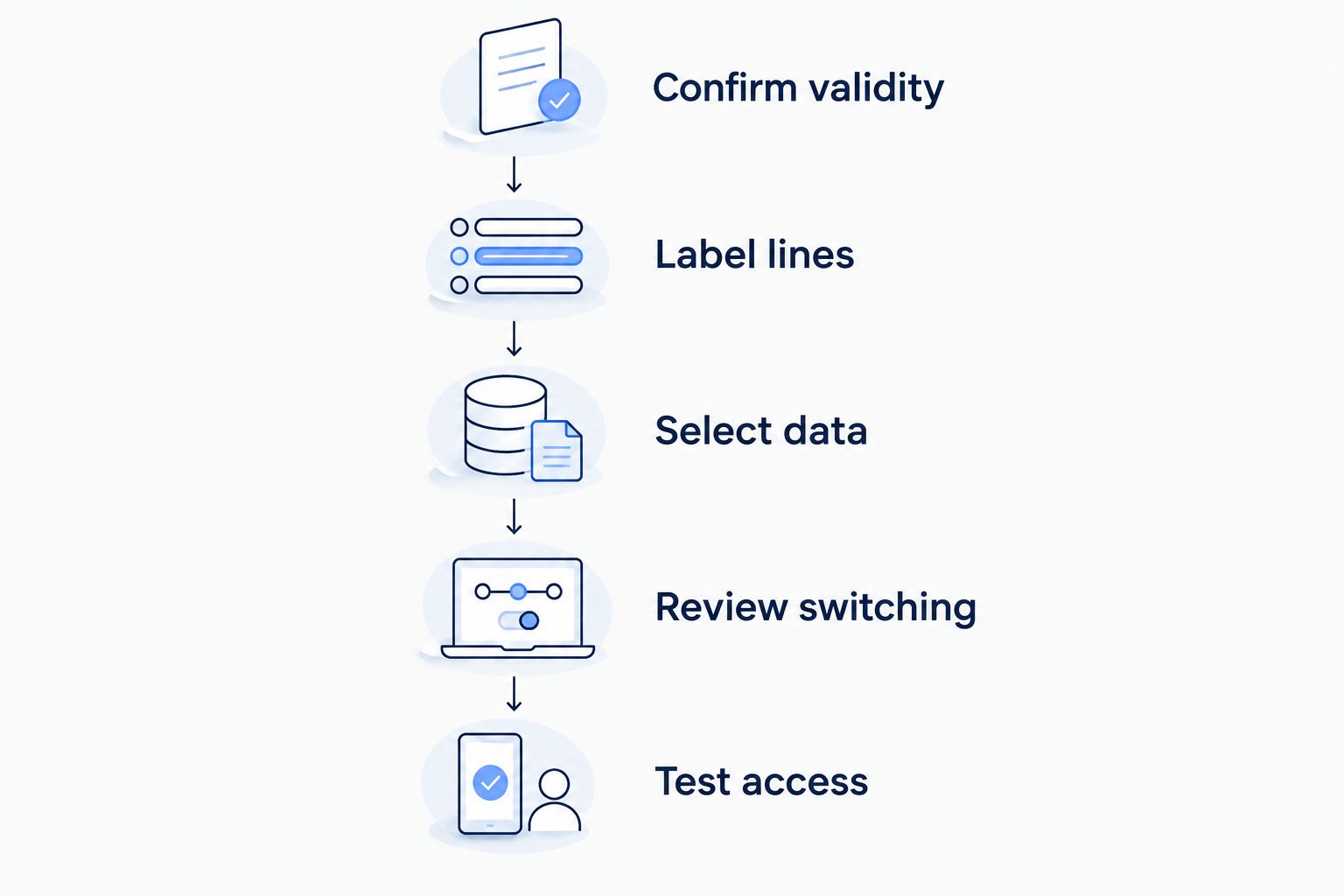
4. Install early and separate your mobile lines
Read the plan’s activation rules before installing. Installation and the start of validity are not interchangeable across all travel plans, so confirm the trigger rather than assuming you can install indefinitely in advance.
Give each line a clear name, such as Reporting data and Home number. Select the intended line for mobile data, then review automatic data switching and each line’s roaming settings. Follow the travel provider’s instructions for the travel line; do not assume that turning off every roaming setting is correct.
Keeping your home line enabled is a separate decision. Ask your home carrier how calls, messages and roaming settings behave abroad, then configure the phone accordingly. An active home number is not evidence that a travel data plan includes conventional calls or SMS.
- Confirm when plan validity begins.
- Label each mobile line by its purpose.
- Select the intended mobile-data line explicitly.
- Review automatic data switching before leaving home.
- Test access to essential accounts without changing their registered numbers.
5. Protect sources separately from the connection
Treat mobile connectivity and information security as different jobs. An eSIM connects the device to a mobile service; it does not make the handset anonymous or protect material stored on an unlocked phone.
Use your newsroom’s approved communication tools and security procedures. End-to-end encryption protects message content within its design, but it does not eliminate every risk involving devices, account access or communications metadata. Do not promise a source that changing SIM format makes contact untraceable.
For sensitive reporting, ask the newsroom’s security lead to assess the assignment before you travel. Device searches, confiscation and account compromise need their own preparations. A VPN is not a substitute for that assessment, and neither is a second mobile plan.
- Apply newsroom-approved device and account security settings.
- Keep sensitive source details out of unnecessary contact syncing.
- Use approved communication channels for sensitive conversations.
- Prepare account recovery that does not depend on the lost handset.
- Agree on procedures for a seized, lost or inaccessible phone.
6. Rehearse failure before the first deadline
Write a short fallback procedure in an offline note. Name the editor to contact, the approved communication channel and the alternative place or method for sending material.
Then rehearse the workflow without your usual connection. Disable the primary data line temporarily and check whether the intended backup actually works. Two plans that rely on the same underlying network are not independent network backups, even if their provider names differ.
A-sim supports app-based usage checks and top-ups. Check remaining data before a critical transmission rather than treating a top-up as your only recovery plan after connectivity has stopped. For a 2026 deployment, also review who can access the account if the reporting phone is unavailable.
- Save editor and local-contact details offline.
- Rehearse switching to the intended backup connection.
- Verify that newsroom submission tools work on the backup.
- Define a missed-check-in procedure with your editor.
- Keep essential documents and assignment details available offline.
Compare connectivity options for your reporting assignment
Choose the connection by the work it must support. The table compares practical roles, not speed guarantees; actual service depends on the specific plan, network, location and device.
For 2026 assignments, do not treat a convenient purchase process as evidence of operational resilience. Every option below has a limitation that belongs in your reporting plan.
| Option | Best for | Practical advantage | Key limitation |
|---|---|---|---|
| A-sim travel eSIM | Correspondents wanting app-managed country, regional or global travel data | Website or app access, with app-based usage management and top-ups | Device compatibility and assignment-specific plan conditions still require checking |
| Home-carrier roaming | Reporters who want to retain their existing carrier arrangement | Keeps connectivity within the existing carrier account | Destination access, allowances and restrictions depend on the home-carrier agreement |
| Local mobile service | Longer postings needing locally supplied connectivity | Lets you assess local network and service choices directly | Registration, device support and voice features depend on the local service |
| Dedicated mobile hotspot | Crews connecting separate reporting devices | Separates the data connection from the main reporting phone | Adds another device, battery and service configuration to manage |
| Fixed-location Wi-Fi | Planned transfers from a known reporting base | Keeps large transfers off the phone’s mobile-data allowance | Ties transmission to a location and needs separate security checks |
For photo and video desks, assess the whole upload chain: capture device, transfer method, reporting phone and laptop. The question behind eSIM adapters for photographers is hardware compatibility; an adapter cannot establish the network coverage or upload performance your assignment needs. Test the complete workflow rather than approving it from a successful installation alone.
Use a travel eSIM for its defined role, not as a replacement for every communication tool. If a local telephone number, dedicated crew connection or specialist safety communication is essential, assess that requirement separately. Do not infer it from the word eSIM.
Common mistakes journalists make with travel eSIMs
Mistaking data access for a local telephone number
A working messaging application does not prove your plan includes a local number or conventional voice service. Confirm voice and SMS features explicitly if interviewees, officials or account verification depend on them.
Tell the newsroom which channels will reach you. Keep that contact sheet separate from assumptions about the number displayed in your phone settings.
Testing downloads instead of newsroom uploads
Opening a news site proves little about sending a photo sequence or recording. Upload your representative test file through the actual newsroom system, including its login and authentication steps.
Test from the locations where you expect to transmit when feasible. A successful hotel test does not establish performance at a press pen or rural reporting location.
Calling a second plan an independent backup
Different provider names do not necessarily mean different underlying networks. Check the network relationship where that information is disclosed, and include a fallback that does not depend on the same mobile access.
For a 2026 assignment, record what each backup protects against: an exhausted allowance, a failed handset and a network outage are different problems. One extra plan does not address them all.
Spending the reporting allowance on automatic uploads
A camera roll, operating-system update or laptop sync can consume data intended for filing. Review background activity before tethering a work laptop or enabling automatic media backup.
Keep essential preservation procedures intact. If the newsroom requires an immediate backup of recorded material, plan connectivity around that requirement rather than disabling it without agreement.
Treating an eSIM as source protection
SIM format is not a confidentiality policy. Separate mobile-service selection from decisions about source identities, device access and approved communication tools.
Escalate high-risk assignments to the newsroom’s security lead. Convenience is a reason to choose a connection, not a reason to relax reporting safeguards.
FAQ
What’s the best eSIM for journalists abroad?
The best eSIM for journalists abroad matches the reporting locations, device and transmission workflow. A-sim offers country, regional and global travel eSIMs with app-based usage management and top-ups; verify the specific plan against your assignment.
Can I file video reports using a travel eSIM?
You can file video over a travel eSIM when the plan and connection support your upload workflow. Test a representative non-sensitive file through the actual newsroom system and check tethering conditions if a laptop is involved.
Will a travel eSIM give me a local phone number?
A travel eSIM does not automatically include a local phone number. Check the plan’s voice and SMS features separately from its mobile-data allowance.
Can I keep my home number while using an eSIM abroad?
You can keep your home number on a compatible dual-line phone while selecting a travel line for data. Confirm device support and ask your home carrier how calls, messages and roaming settings work abroad.
Does an eSIM protect confidential sources?
An eSIM does not by itself protect confidential sources or make a phone anonymous. Use newsroom-approved device security, communication tools and assignment-specific safety procedures.
Will a second eSIM work during a network shutdown?
A second eSIM is not a dependable answer to a network shutdown. Plans using affected infrastructure can lose service together, so arrange a separate reporting and safety fallback with your newsroom.
Should I install my reporting eSIM before departure?
Install before departure only after checking the plan’s installation and validity rules. Prepare instructions and account access in advance, then follow the provider’s stated activation process.
One last thing
Test account recovery, not just connectivity. A working data line is little help if your newsroom login requires approval from the phone you have just lost.
Before departure, rehearse signing in through the newsroom-approved recovery process without relying on the reporting handset. Keep recovery information secure and follow your organisation’s access policy. That rehearsal checks a failure point that a signal indicator cannot reveal.