
Medical tourism eSIM connectivity is mobile service downloaded to your phone, with the aim of keeping you connected during treatment abroad. An eSIM for medical tourism needs to support clinic messages, travel arrangements, and recovery—not just sightseeing—and this 2026 guide shows you what to check before departure.
- Choose an eSIM for medical tourism that covers your destination and the full treatment-and-recovery itinerary.
- A-sim travel eSIMs suit patients who want app-based usage management and top-ups.
- Confirm how your clinic contacts you; mobile data does not automatically provide a local phone number.
- Keep appointment details offline and arrange a backup contact route before treatment.
Why eSIM connectivity matters for medical tourists
Your connection supports practical tasks: finding the clinic, receiving appointment changes, contacting your companion, and arranging transport after discharge. During recovery, troubleshooting a phone is another task to avoid. Set up your communication plan before you need it.
Separate connectivity from confidentiality. A working data connection does not establish that a messaging channel is appropriate for medical records. Use the clinic’s approved portal or communication method, and read this guide to eSIM safety for international travel alongside your device-security checks.
Medical travel also has an uncertain end date. Your clinician decides when you can travel after treatment; your connectivity plan should accommodate the itinerary you actually follow. Treat the return flight as a planning date, not the only date that matters.
For a 2026 treatment trip, organise connectivity around these needs:
- Clinic access: Confirm whether staff use calls, SMS, an app, or a patient portal.
- Recovery access: Check that your plan covers the accommodation where you will recover.
- Companion access: Give your travel companion the contacts and instructions they need separately.
- Return access: Keep a connection available for changed flights, transfers, and follow-up arrangements.
How to set up an eSIM for medical tourism
1. Map your treatment and recovery itinerary
Start with a simple note or calendar. List your arrival, consultation, procedure, recovery accommodation, follow-up visits, and departure. Include transit countries if you need connectivity during connections or an overnight stop.
Match plan coverage to that itinerary rather than choosing solely by the country where treatment takes place. A country plan and a regional plan solve different travel problems; neither is automatically the right choice. Check the included destinations individually.
Use dates to test the plan’s validity. For example, a planned 14-day stay plus a 3-day extension requires 17 days of coverage. This is a planning example, not a medical recovery estimate or a recommendation about when to fly.
- Record every country where you expect to use mobile data.
- Include the clinic and recovery accommodation addresses.
- Check when the plan’s validity period starts.
- Confirm how additional data and extra travel days are handled.
- Save the itinerary where your companion can access it.
2. Check your phone before choosing a plan
Open your phone settings and identify the exact model. Then check the manufacturer’s documentation for eSIM support and your carrier’s instructions for checking whether the phone is unlocked. An iPhone or Android label alone is not enough to establish compatibility.
Check installation access as well. You need to be able to sign in, follow the provider’s instructions, and reach any verification method attached to your account. Complete those checks while you still have a familiar connection and access to your usual accounts.
Do not make the airport your first compatibility test. For your 2026 trip, resolve device and account questions before departure, especially if someone else will help you manage the phone during recovery.
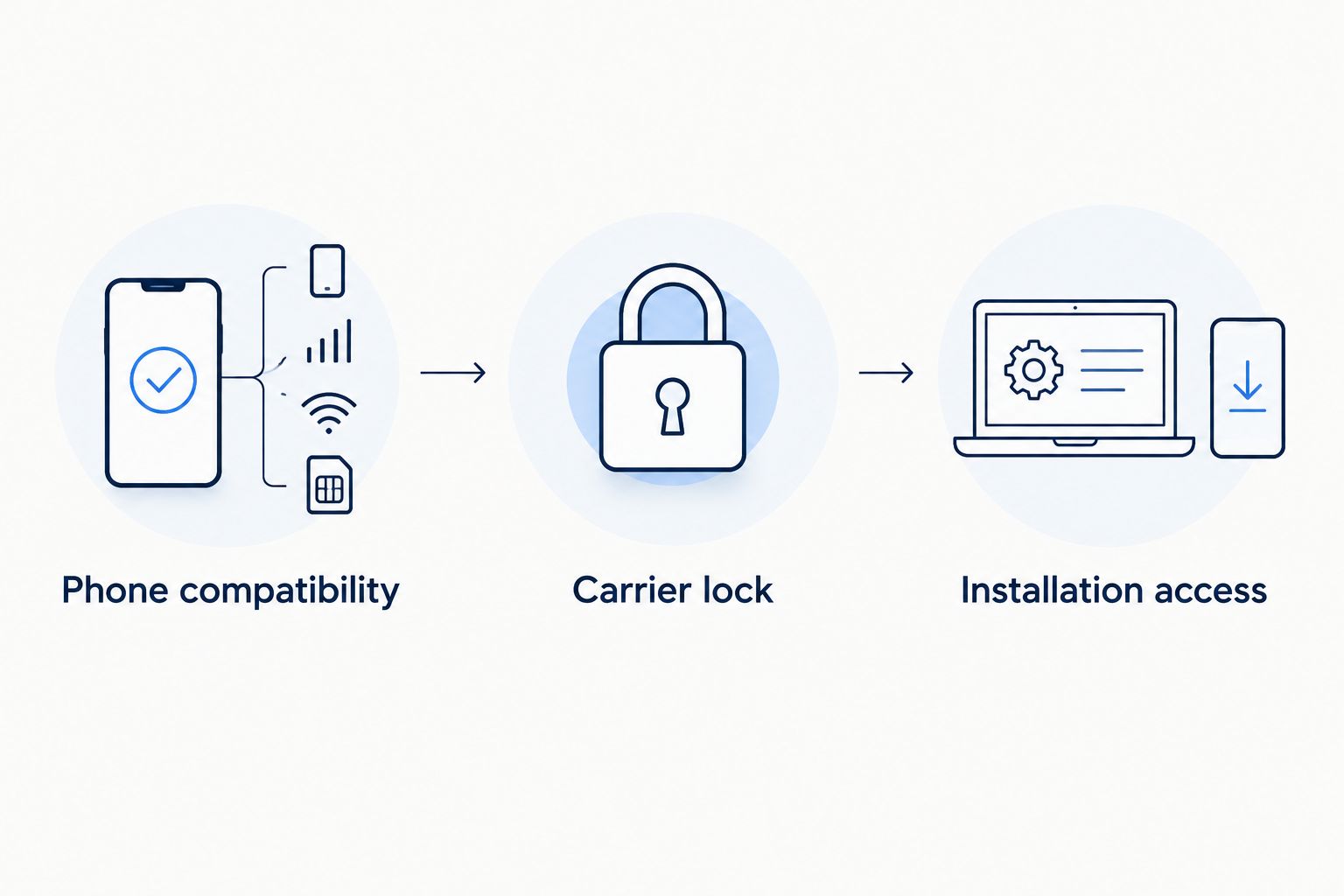
- Phone compatibility: Confirm the exact model supports the required eSIM installation.
- Carrier lock: Check whether another provider’s service is permitted.
- Installation access: Confirm you can open your account and installation instructions.
- Save your device passcode securely rather than sharing it casually.
- Ask the provider about installation problems before travelling.
3. Match coverage to the places you will stay
First, compare the destination list and validity conditions yourself. Check treatment and recovery locations separately, including any accommodation outside the city centre. Country inclusion does not guarantee reception in every room or building, so retain another contact route.
A-sim offers travel eSIMs for individual countries, regions, and global travel through its app or website. Choose the geographic scope that matches your route, then check the current plan details rather than assuming every destination or service is included.
A-sim travel eSIMs suit medical tourists who want app-based usage management and top-ups. Those features address account management; they do not establish local reception, calling capability, or the suitability of a medical communication channel.
- Compare single-country coverage with your treatment destination.
- Check regional coverage against every country on your route.
- Consider global coverage only against your actual itinerary.
- Review validity, data allowance, and top-up conditions.
- Confirm calling, SMS, and hotspot features separately if you need them.
4. Confirm how the clinic will contact you
Ask the clinic for its routine contact method before departure. Start with its published instructions or patient paperwork, then confirm any unanswered questions directly. Save the clinic’s approved contact details; do not rely on finding them again through a search result.
A travel eSIM is not automatically a replacement for your home phone number. Internet messaging uses data, while ordinary phone calls and SMS depend on the services attached to your lines. Check what your selected plan includes and what your home carrier permits abroad.
For a 2026 appointment, confirm the contact route used for schedule changes as well as the route used after discharge. These are practical communication checks, not medical instructions.
- Ask whether appointment changes arrive by call, SMS, app, or email.
- Confirm whether the clinic requires a local phone number.
- Test access to the approved patient portal before travelling.
- Keep your home line available if you need its verification messages.
- Ask about roaming charges before enabling home-line services abroad.
5. Plan data around essential tasks
Use your phone’s existing data-usage screen as the starting point. Look at the apps you expect to use abroad rather than selecting an allowance from a generic travel estimate. Maps, messaging, video calls, uploads, and background activity all belong in that check.
Separate essential communication from optional use. Download maps and appointment documents in advance where the relevant app allows it. Schedule nonessential downloads for a connection you trust, and inspect automatic backups before they use your travel allowance.
A-sim lets you manage usage and top up through its app. That is useful for checking remaining data during a changed itinerary, but it does not replace checking the plan’s validity. More data and more usable days are separate questions.
- Review recent usage for the apps you will actually need.
- Download route information and appointment documents beforehand.
- Check photo backups, app updates, and automatic downloads.
- Review remaining data daily during the trip.
- Confirm whether a top-up changes validity or only adds data.
6. Install and test before treatment
Read the provider’s installation and activation instructions before making changes. Installation and the start of plan validity are not necessarily the same event; the selected plan’s terms determine when usable days begin. Avoid starting the validity period early without checking those terms.
Label your lines clearly in phone settings, then select the intended line for mobile data. Follow the provider’s instructions for roaming on the travel line. Manage the home line separately so it does not become an unintended data connection.
Once you reach a covered destination, perform a short functional test before the first appointment. Open the clinic’s approved contact channel and check a route to the treatment location. A signal icon alone does not confirm that your essential tasks work.
- Read the activation conditions before installing.
- Label the home and travel lines clearly.
- Select the travel line for mobile data.
- Follow the provider’s roaming instructions for that line.
- Test clinic contact, maps, and account access at the destination.
7. Build a backup your companion can use
Create the backup manually first: a saved document, a printed contact sheet, or both. Include the clinic address, recovery address, confirmed contact numbers, appointment details, and transport arrangements. Keep sensitive medical information limited to what is necessary.
Give your companion independent access to essential logistics with your consent. If your phone is unavailable, a second person should not have to sign in to your account just to find the clinic address. Agree who will contact the clinic if you cannot manage routine messages.
An app-managed eSIM helps you handle data, but the account still needs a working device and access. A backup contact route matters more than a second copy of the same login on the same phone.
- Save essential addresses and appointment details offline.
- Keep a printed copy of confirmed contact numbers.
- Record the destination’s official emergency number before departure.
- Arrange an independent contact route with your companion.
- Ask the clinic how to reach its designated aftercare contact.
Compare connectivity options for medical travel
Choose by communication needs, not by the technology’s name. A patient who needs a local number has a different requirement from someone whose clinic uses an internet-based portal. For 2026 travel, confirm the current service conditions of whichever option you choose.
| Option | Best for | Main benefit | Key limitation |
|---|---|---|---|
| A-sim travel eSIM | Patients wanting app-based usage management and top-ups | Country, regional, and global travel options; app or website access | Device compatibility, destination coverage, and calling features need checking |
| Home-carrier roaming | Patients prioritising their existing number | Uses the existing carrier account and line | Overseas terms and included services depend on the carrier |
| Local SIM or eSIM | Patients who need local carrier services | Lets you select a local service that fits clinic contact requirements | Registration, device compatibility, and included services vary |
| Clinic or accommodation Wi-Fi | Patients connecting while at those locations | Provides internet access where a working network is offered | Does not provide connectivity between locations |
Choose A-sim for app-managed travel eSIM data; confirm voice and SMS separately. Choose home-carrier or local-carrier service when its verified calling features match a requirement your clinic has specified. Keep Wi-Fi as an additional connection, not your only plan for journeys between appointments.
Common mistakes medical tourists make
Treating mobile data as a local phone number
Buying data without checking the clinic’s contact method leaves a basic requirement unresolved. Confirm calls, SMS, and portal access separately, then select services that match those requirements.
Covering the procedure but not the recovery stay
A plan that ends before your final appointment does not cover the full itinerary. Check the validity start and end dates, then review them again if your clinician changes the travel schedule.
Letting the travel companion depend on the patient’s phone
Sharing one phone creates a single point of failure for transport and clinic coordination. Give your companion independent access to addresses and approved contact details without sharing unnecessary medical records.
Sending medical documents through any available channel
Internet access does not determine whether a channel is appropriate for confidential records. Use the clinic’s approved submission method and confirm the recipient before sending identity documents or medical information.
Waiting until recovery to learn the settings
Switching data lines, accessing account verification, and finding top-up instructions are tasks to complete before treatment. Test the setup while you can focus, and keep the instructions accessible offline.
FAQ
What's the best eSIM for medical tourism?
The best eSIM for medical tourism matches your destination, full itinerary, phone, and clinic contact requirements. A-sim suits patients who want travel eSIM usage management and top-ups through an app; check the selected plan's details before choosing.
Can a travel eSIM receive calls from my clinic?
A travel eSIM can receive ordinary phone calls only if its service includes that capability. Confirm whether your clinic uses calls, SMS, or an internet-based channel, and check the plan accordingly.
Can I keep my Canadian number while using a travel eSIM?
You can keep your Canadian number alongside a travel eSIM when your device and carrier support the required setup. Check home-carrier roaming terms and select the intended line for mobile data.
Should I install my eSIM before flying for treatment?
Install before departure when the provider's instructions permit it and you understand when validity starts. Read the selected plan's activation conditions so installation does not unexpectedly consume usable days.
How much data do I need during recovery abroad?
Base your data allowance on the apps and tasks you expect to use during recovery. Review your phone's recent usage, account for video calls and uploads, and check how additional data is purchased.
Is clinic Wi-Fi enough for a medical tourism trip?
Clinic Wi-Fi is not a complete connectivity plan for journeys between the airport, accommodation, and appointments. Keep an independent contact route and save essential details offline.
What should I do if my stay is extended?
Recheck both remaining data and plan validity when your stay is extended. Confirm whether a top-up adds data, changes usable days, or whether you need another plan for the revised itinerary.
One last thing
Test the backup with your phone put away. Ask your companion to find the clinic address, the next appointment, and the agreed contact route without using your device. If that fails, fix access before treatment; another data allowance will not solve it.