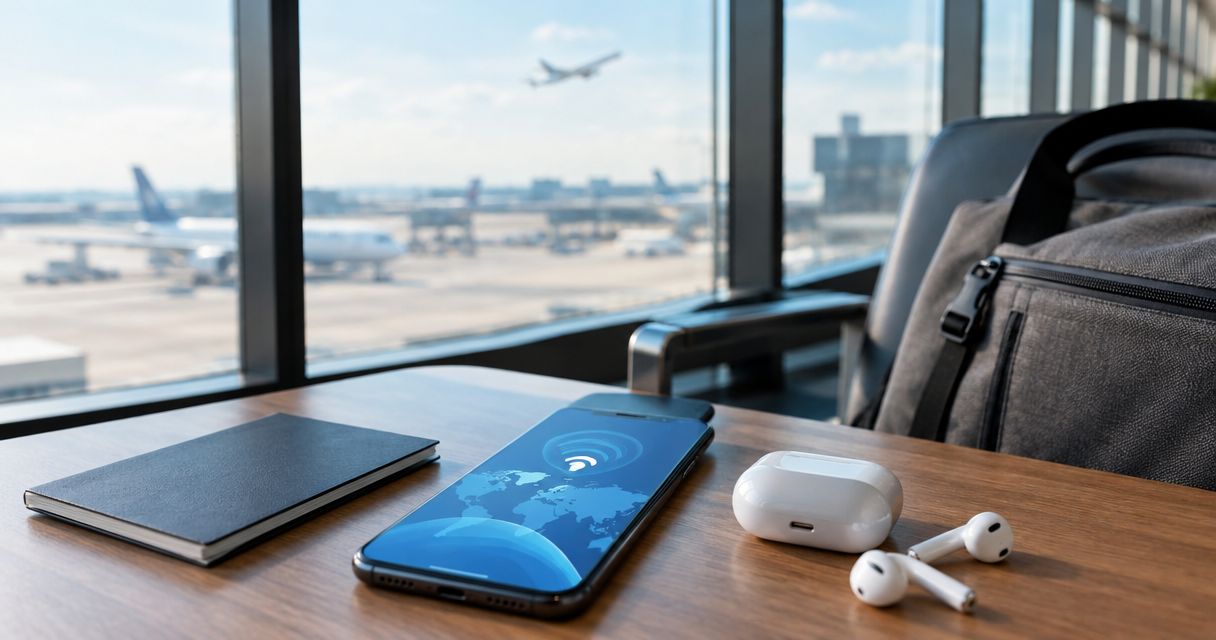
Small business owners abroad need mobile data that works the moment they land, not a data plan built for tourists checking Instagram. An eSIM for small business owners replaces the airport SIM-card hunt and the surprise roaming bill with instant activation, so client calls, invoicing apps, and video meetings keep working across time zones. The difference from a standard travel eSIM is priority on reliability and coverage breadth over cheap bulk data, because a dropped call with a client costs more than a few extra gigabytes.
- An esim for small business owners should prioritize coverage breadth and reliability over the cheapest data-per-GB price.
- Regional or global eSIM plans beat single-country ones for anyone crossing borders mid-trip for client meetings.
- A-sim activates in one tap through the app or site and lets you top up without swapping a physical card.
- Keep a backup data source for the day your primary eSIM fails during a client call.
- Separate business and personal data usage inside the app to track costs per trip.
Why eSIM matters for small business owners
A small business owner traveling for a trade show, a supplier visit, or a client pitch can't afford a dead phone at the wrong moment. Airport SIM kiosks eat 20-30 minutes you don't have between a flight and a meeting, and hotel WiFi is unreliable for a video call with a client back home. An esim for small business owners solves the timing problem: you install it before you leave and it's live the second you land, no store visit, no plastic tray tool, no language barrier at a foreign carrier counter.
Roaming through your home carrier is the other default option, and it's usually the most expensive per gigabyte of anything on this list. A local SIM is cheap but forces you to give up your home number for the trip, which breaks two-factor authentication codes and client callbacks tied to your usual line. eSIM sits between the two: local-market data pricing without losing your primary number, because most business owners keep the physical SIM idle in the same phone as a fallback.
The step-by-step setup
Map your travel footprint before you buy
Don't buy a plan per city. Business trips rarely stay in one country, and a single-country eSIM leaves you stranded the moment you cross a border for a supplier meeting or a second client.
- List every country on the itinerary, including layovers with meetings
- Check if the trip is single-country, regional (e.g. Southeast Asia), or genuinely global
- Flag any country with unusually restrictive networks (parts of the Middle East, mainland China)
- Note the trip length in days, since data needs scale with days on the ground, not distance flown
Pick regional or global coverage over single-country plans
A plan that only covers one country breaks the moment your schedule shifts, and business schedules shift constantly. Regional and global eSIM options cost more upfront per GB but remove the risk of buying a second plan mid-trip at a worse rate.
- Choose regional coverage for multi-country trips inside one continent
- Choose global coverage for round-the-world sales trips or conference circuits
- Confirm the plan covers the specific carriers strong in each destination, not just "the country"
- Check if the plan auto-switches networks or requires manual selection on arrival
A-sim's best esim for business travelers breakdown compares regional versus global data allotments if your itinerary spans more than two countries.
Size your data plan to your actual work, not your vacation habits
Business use burns data differently than leisure browsing. Video calls, cloud file syncs, and CRM apps running in the background use more than scrolling social media at a cafe.
- Estimate 1-2 hours of video calls per travel day at roughly 500MB-1GB per hour on standard quality
- Add data for cloud backups (Dropbox, Google Drive) syncing invoices and contracts
- Budget extra for navigation apps between meetings, which run constantly in the background
- Round up, not down — running out mid-negotiation is worse than paying for unused GB
Set up hotspot and tethering for your laptop
Most small business owners still need a laptop for proposals, spreadsheets, and presentations. Not every eSIM plan allows hotspot tethering, so confirm this before you buy, not after your laptop can't get online in a hotel lobby.
- Confirm hotspot/tethering is enabled on the plan, not just phone-only data
- Test the hotspot connection before the trip, at home, on the actual devices you'll use
- Keep a lightweight portable battery pack, since hotspot mode drains phone battery fast
- Cap background app refresh on the laptop to stretch the shared data pool
Keep a backup line for client calls
Even reliable networks have dead zones — underground parking, rural supplier sites, older buildings. A single point of failure on a client call day is a real business risk, not a minor inconvenience.
- Keep the original physical SIM active as a secondary line, even if just for emergencies
- Save offline maps and key documents locally in case data drops mid-meeting
- Share your travel eSIM number with key clients ahead of time so they know which line to expect
- Test WiFi calling as a fallback in venues with weak cellular signal
Manage top-ups and data usage from your phone
Running low on data mid-trip used to mean hunting for a store. With an app-based eSIM, you check usage and top up from wherever you're standing, which matters when you're between meetings with no time to spare.
- Check remaining data daily during heavy-use days (conferences, trade shows)
- Set a low-data alert if the app supports it, so you're not caught at zero
- Top up in the app rather than waiting until data runs out completely
- Track top-up frequency across the trip to right-size the next plan purchase
Separate business and personal data spending
Expense reports get messy when personal and business data usage blend together on one line. Small business owners filing quarterly expenses need a clean trail.
- Buy trip-specific eSIM plans tied to each business trip for clean expense tracking
- Save the purchase receipt or app confirmation as the expense record
- Avoid stacking personal streaming or social use on the same data pool as client calls
- Log data costs per trip to compare against previous quarters
Test coverage before the trip that matters
Don't activate a new eSIM for the first time the morning of a major pitch. Test it on a lower-stakes trip or at home first, since app-based activation is generally reliable but a five-minute check removes any doubt.
- Activate the eSIM a day or two before departure, not at the gate
- Confirm data works and hotspot toggles on before boarding
- Save the app login details somewhere accessible without needing data to retrieve them
- Screenshot the QR code or activation details as a backup
Get your business trip eSIM sorted
Set up coverage for your next trip in one tap, before you land.
Comparing your options
| Option | Best for | Setup effort | Key limitation |
|---|---|---|---|
| Home carrier roaming | Rare, single short trips | Lowest effort | Highest per-GB cost of any option |
| Local physical SIM | Long stays in one country | Requires a store visit and a spare SIM slot | Loses your home number for the trip |
| Portable WiFi hotspot | Teams sharing one connection | Extra device to carry and charge | Another battery to manage, single point of failure |
| A-sim eSIM | Multi-country business trips with client calls | Install in the app before departure | Requires an eSIM-compatible phone |
For data-heavy work like video calls and file uploads, the esim plans ranked by data speed comparison is worth checking before you commit to a plan size. If cost tracking across trips matters more than speed, the esim plans ranked by price list breaks down value per GB.
Common mistakes small business owners make
- Buying single-country plans for multi-stop trips. A three-city sales trip needs regional coverage, not three separate purchases.
- Skipping the hotspot check. Discovering the laptop can't tether the morning of a pitch is avoidable with a five-minute test beforehand.
- Mixing personal and business data on one plan. This makes expense reporting a mess and hides the real cost of business travel.
- Under-buying data for video calls. Vacation-level data estimates run out fast once client calls and cloud syncs enter the picture.
- Activating for the first time on the day it matters. Test the eSIM before the trip that actually needs it to work.
Sales reps and consultants who travel on a near-weekly basis face a slightly different version of this problem — the esim for traveling sales reps and consultants guide covers plan cadence for frequent, shorter trips.
FAQ
What's the best esim for small business owners in 2026?
The best choice depends on your itinerary: regional or global eSIM coverage from a provider like A-sim suits multi-country business trips, while a single-country eSIM works fine for one-destination trips. Prioritize hotspot support and reliable network coverage over the cheapest per-GB rate.
Is eSIM better than roaming for business travel?
Yes, in most cases. Home carrier roaming typically charges the highest per-GB rate of any option, while an eSIM gives local-market pricing without giving up your home number.
Can I use an eSIM for laptop hotspot during business trips?
Most eSIM plans support hotspot tethering, but confirm this before buying since some plans restrict it to phone-only data. Test the hotspot connection at home before the trip.
Do I need a different eSIM for each country on a business trip?
No, not if you choose a regional or global plan. Single-country eSIMs only make sense when the entire trip stays in one destination.
How much data does a business trip actually need?
Budget for 1-2 hours of video calls per travel day, plus cloud file syncs and navigation apps running between meetings. This runs higher than typical leisure travel data use.
Can I keep my regular phone number while using a travel eSIM?
Yes. eSIM runs alongside your physical SIM, so your home number stays active for calls and two-factor authentication while the eSIM handles data.
What happens if I run out of data mid-trip?
App-based eSIM providers let you top up directly from your phone without finding a store, which matters between meetings when you have no time to spare.
Is eSIM setup difficult for someone who isn't technical?
No. Installation through the app or website is designed to take one tap, and most phones from the last few years support eSIM without extra configuration.
One last thing
The detail most small business owners miss isn't the data plan — it's the hotspot toggle. A plan can have plenty of data left and still fail a client presentation if tethering wasn't confirmed before the laptop needed it. Check that one setting before every trip, not just the first one.