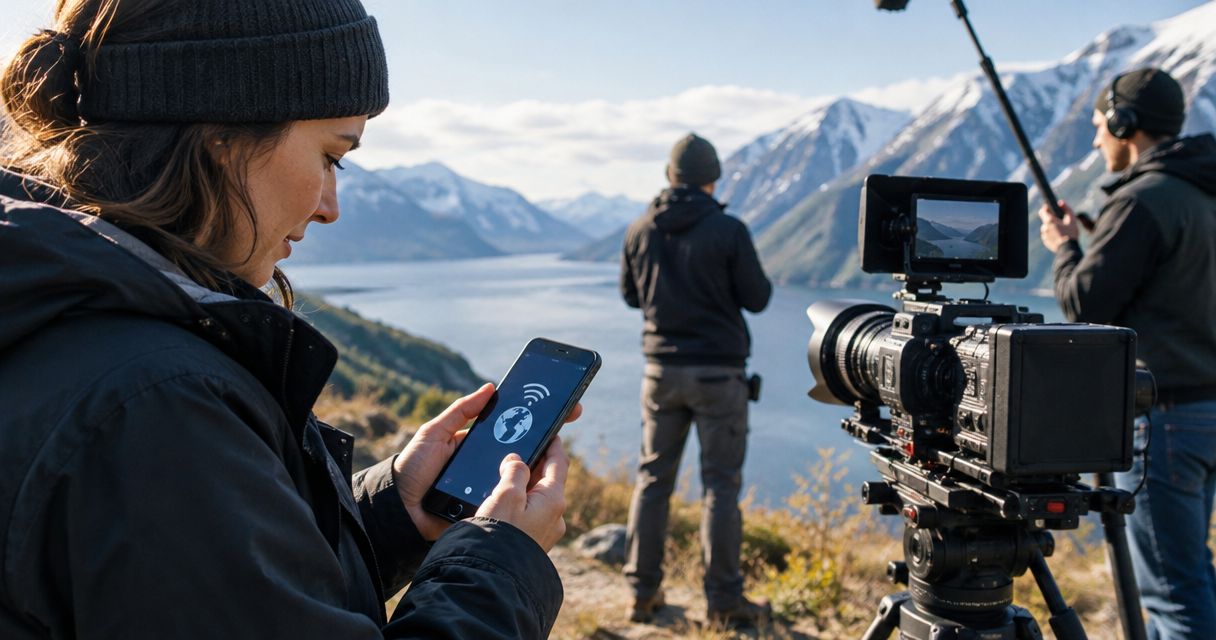
Traveling nurses’ eSIM connectivity is mobile service installed digitally on a compatible phone, with the aim of keeping assignment travel connected without swapping a physical SIM. This 2026 guide explains how to choose coverage, keep your usual number reachable, and separate personal connectivity from employer-approved clinical systems.
- Choose an eSIM for traveling nurses by assignment coverage, validity, and phone compatibility—not destination name alone.
- A-sim suits nurses who want travel eSIMs with app-based usage tracking and top-ups.
- Keep clinical information inside employer-approved systems; a travel eSIM supplies connectivity, not permission to access patient records.
- Verify voice calls, SMS, and authentication separately from mobile data before your first shift.
Why eSIM connectivity matters for traveling nurses
Your assignment involves more than reaching a destination. You need directions to temporary housing, messages from your recruiter, and a workable connection between accommodation and the facility. Those needs continue outside hospital Wi-Fi.
Choose connectivity for your assignment routine, not just your arrival airport. A country listed on a plan does not establish reception inside your accommodation or a hospital building. Check the underlying network and your actual locations before treating mobile data as dependable.
For a 2026 assignment, separate installation from activation. Adding a profile to your phone and starting a plan’s validity are not necessarily the same event; follow the plan’s stated trigger. The guide to how long eSIM activation takes explains the setup questions to resolve before departure.
Healthcare locums also need a clear boundary: personal mobile service does not replace an employer’s device policy, approved messaging system, or required authentication method. Arrange those independently.
Set up your assignment connectivity
Check your phone and employer rules
Start with your phone’s settings and the manufacturer’s documentation. Confirm that your exact model supports eSIM and that its carrier-lock status permits another provider. An eSIM-capable model is not automatically an unlocked phone.
If you travel with an employer-issued device, ask IT whether you can add a personal profile. Also confirm whether clinical applications require device enrolment, a VPN, or another approved connection. Do this before buying a plan, not at orientation.
Keep installation instructions accessible somewhere other than the phone you are configuring. If a setup method requires scanning a code, having that code only on the same screen complicates the process.
- Check the exact model and regional variant.
- Verify carrier-lock status with your existing carrier.
- Ask IT about personal profiles on managed devices.
- Confirm the approved method for accessing work systems.
- Save setup instructions outside your mobile inbox.
Map coverage to your assignment
Write down your destination, assignment dates, and any border crossings. Then check coverage for 3 locations: your accommodation, your facility, and your usual commute. Use the named network’s coverage information where available; a destination label alone is too broad.
For an assignment within your home country, first check your existing plan. A travel eSIM is not automatically necessary. An additional line makes sense only when it addresses an identified need, such as separate travel data or access through another network.
For an international placement, compare a single-country plan with a regional plan against your actual itinerary. Do not assume that nearby countries share coverage or that a connection during transit is included.
- List every country where you need mobile data.
- Match plan validity to arrival and departure dates.
- Check coverage around housing and the workplace.
- Confirm whether transit destinations are included.
- Record a backup connection for weak-signal locations.
Choose the plan around your working routine
Use your phone’s existing data-usage screen before selecting an allowance. Review which applications consume data, then separate essential travel tasks from downloads you can complete over an approved Wi-Fi connection. Your own usage is a better starting point than an arbitrary allowance.
A-sim offers travel eSIMs for single countries, regions, and global destinations, with purchasing through its website or app. You can manage usage and top up through the app. A-sim travel eSIMs are best for nurses who want destination plans with app-based usage tracking and top-ups.
That convenience does not settle every requirement. Confirm the selected plan’s destinations, validity, tethering rules, and voice or SMS features before relying on it for assignment communications. Top-ups do not resolve a coverage gap or replace a required local number.
- Review your current mobile-data usage by application.
- Match geographic scope to your assignment itinerary.
- Check when validity begins and ends.
- Verify tethering if you need laptop connectivity.
- Confirm voice and SMS separately from data.
- Check how to add data before departure.
Separate data from calls and authentication
Use your phone’s line settings to assign clear roles. On a device that supports the required combination of active lines, your travel profile can handle mobile data while your usual line remains available for supported calls or messages. Check your device’s capabilities first.
Keeping your home line active is not the same as preventing roaming charges. Review your carrier’s terms, disable home-line data roaming where appropriate, and check whether automatic cellular-data switching is enabled. Follow the travel provider’s instructions for the travel line itself.
Complete 2 checks before departure: verify how your recruiter will contact you, and verify how you will sign in to required work systems. An internet messaging account and an SMS verification code use different communication paths.
- Label the profiles clearly, such as Home and Travel.
- Select the intended line for mobile data.
- Review automatic data-switching settings.
- Check home-carrier call and message roaming terms.
- Test your employer-approved authentication method.
- Share your reachable contact method with your recruiter.
Test connectivity before your first shift
Install the profile while you have a stable internet connection, following its activation instructions. For your 2026 placement, schedule testing before orientation rather than between arriving at the facility and reporting to the ward. Leave time to resolve a setup problem.
Once the plan is active at the destination, turn Wi-Fi off briefly and open a map or another ordinary internet service. Send 1 test message through the communication channel you actually use. A signal icon alone does not confirm that the intended application works.
Repeat the practical check at your accommodation and near the facility entrance where permitted. Do not use patient records as test material. If service fails, keep the installed profile while you consult the provider’s troubleshooting instructions; do not assume deletion is reversible.
- Confirm the intended data profile is selected.
- Open a map with Wi-Fi switched off.
- Send a test message to a personal contact.
- Check approved work access without patient information.
- Save provider support instructions for offline reference.
- Identify an alternative connection before orientation.
Manage data and protect clinical boundaries
Use your phone’s built-in data controls as the manual starting point. Review application usage, restrict unnecessary background activity, and move large personal downloads to a suitable Wi-Fi connection. Reset the usage counter when appropriate so the reporting period matches your assignment.
A-sim’s app provides usage management and top-ups, giving you another place to monitor your travel connection. Check both remaining data and validity: adding data and extending a plan are different requirements, so verify what the selected top-up changes.
For your 2026 assignment, use only employer-approved systems for clinical communication. Mobile data does not make personal email, consumer messaging, or an unapproved hotspot acceptable for patient information. Your employer’s policy determines the permitted workflow.
- Review usage after your first full assignment day.
- Restrict automatic photo backups on mobile data.
- Download personal entertainment over suitable Wi-Fi.
- Check remaining validity alongside remaining data.
- Keep patient information out of personal messaging.
- Confirm the renewal process before an assignment extension.
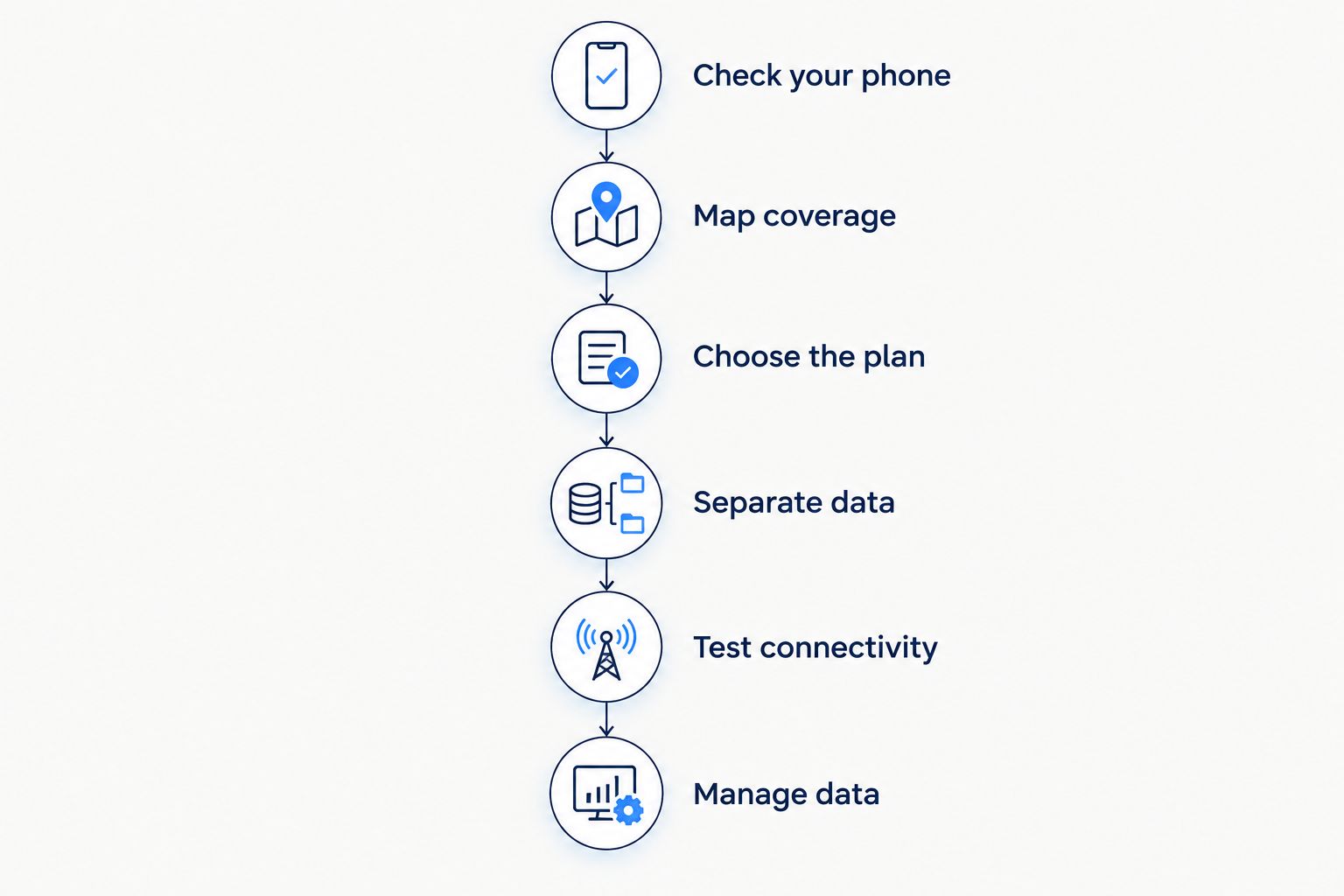
The setup sequence is simple: check the device, establish coverage, choose a plan, assign line roles, test access, and monitor usage. Resolve each stage before depending on the next.
Compare connectivity options for your assignment
The right option depends on whether you need travel data, a local telephone number, or employer-managed access. These options solve different problems. None guarantees indoor reception or permission to use clinical systems.
| Option | Best for | Main advantage | Key limitation |
|---|---|---|---|
| Travel eSIM | International assignments needing separate mobile data | Digital installation on a compatible, unlocked device | Voice, SMS, destinations, and tethering require plan-level checks |
| Existing home-carrier plan | Domestic assignments or supported international roaming | Keeps your established account and number | Destination terms and roaming conditions need checking |
| Local carrier SIM or eSIM | Placements requiring local voice and SMS | Lets you seek a local-number service | Registration and device requirements vary by destination |
| Employer-provided connection | Approved work devices and clinical workflows | Follows the organisation’s configured access arrangements | Personal use and off-site access depend on employer policy |
| Accommodation or facility Wi-Fi | Downloads and approved access where Wi-Fi is available | Avoids using your mobile allowance while connected | Does not provide connectivity during your commute |
For travel data, choose by coverage and validity. For a local number, choose a service that explicitly includes one. Do not treat either as a substitute for an employer’s approved clinical-access arrangement.
Before your 2026 departure, put the selected option and its backup in your assignment notes. Include the support route and a way to access essential travel details offline. A backup should address the failure you face: another allowance does not help when the underlying network has no signal.
Common mistakes traveling nurses and locums make
Treating a data plan as a local phone line
A mobile-data connection does not establish that ordinary calls or SMS are included. If the facility requires a local contact number, confirm that requirement with the recruiter before choosing service. Internet calling alone does not meet every contact or authentication requirement.
Buying for the assignment dates but missing arrival days
You need connectivity while reaching temporary housing, not just during contracted shifts. Include arrival, departure, orientation, and planned travel when checking validity. If the placement extends, confirm whether your existing plan can support the revised dates before its validity ends.
Relying on hospital Wi-Fi for personal logistics
Facility Wi-Fi is not a plan for the journey from the airport, the commute, or an evening away from the hospital. Keep essential addresses and arrival instructions offline. Follow facility rules before connecting personal devices or attempting access to work applications.
Assuming mobile data authorises clinical communication
A working internet connection does not establish privacy compliance or employer approval. Keep patient details inside approved systems, even when a personal application feels convenient. Ask IT for the permitted fallback when the usual clinical system is unavailable.
Leaving number access untested until orientation
Recruiter calls and account verification deserve separate tests. Confirm the channel your recruiter uses and complete a sign-in check before travelling. Keep employer-approved recovery methods accessible without placing passwords or patient information in unprotected travel notes.
FAQ
What's the best eSIM for traveling nurses?
The best eSIM for traveling nurses matches the assignment’s coverage, duration, and device requirements. A-sim suits nurses who want destination travel plans with app-based usage tracking and top-ups; check the selected plan’s voice, SMS, and tethering terms separately.
Do I need a travel eSIM for a nursing assignment in my home country?
You do not automatically need a travel eSIM for a domestic nursing assignment. Check your existing plan’s coverage and allowance first, then add another service only if it addresses a specific gap.
Can I keep my usual phone number while using a travel eSIM?
You can keep your usual number accessible if your phone supports the necessary active-line setup and your home service remains enabled. Review roaming terms and test calls, messages, and verification before departure.
Can I use an eSIM to access patient records?
An eSIM supplies connectivity, not permission to access patient records. Use only employer-approved devices, applications, and access methods, including any required VPN or authentication.
Will a travel eSIM work inside the hospital?
Indoor hospital reception is not guaranteed by a destination coverage listing. Check the underlying network and test permitted use at the facility before relying on mobile service.
Can I use my travel eSIM as a laptop hotspot?
You can use a travel eSIM for a laptop hotspot only when the phone and selected plan support tethering. Employer policy separately determines whether that connection is acceptable for work.
What should I do if my locum assignment gets extended?
Check your remaining plan validity and data before the original assignment ends. Confirm whether you need a top-up, an extension, or a replacement plan, and repeat coverage checks if the location changes.
One last thing
Your connectivity backup should survive a dead phone. Before leaving for your 2026 placement, keep a paper copy of the accommodation address, facility arrival point, recruiter contact details, and instructions for delayed arrival. Exclude passwords and patient information.
That small preparation covers a failure no extra data allowance can fix. A working travel connection helps with daily logistics; an offline arrival plan gets you to the right place when your device is unavailable.