
Yacht crew eSIM connectivity is mobile data delivered through a digital SIM profile, with the aim of keeping crew connected during international port calls and shore leave. An eSIM for yacht crew connects through supported cellular networks, not directly to satellites, so your shore-data plan and offshore communications need separate arrangements.
- An eSIM for yacht crew supports cellular connectivity near shore; it does not replace offshore satellite communications.
- A-sim suits crew who want single-country, regional or global travel eSIMs with app-managed usage and top-ups.
- Check every destination, phone compatibility and activation rule before choosing a maritime travel data plan.
- Keep personal mobile data separate from the vessel’s operational and emergency communications.
Why eSIM connectivity matters for yacht crew
Yacht crew need connectivity around an itinerary, not just a holiday destination. Joining a vessel, changing ports and travelling home can involve different countries, while an offshore passage creates a gap that a terrestrial mobile plan cannot solve.
Your 2026 connectivity plan should distinguish three situations: shore leave, coastal coverage and offshore operations. The same phone can work ashore and lose cellular service after departure; installing an eSIM does not change that boundary. The guide to whether eSIM works on cruise ships explains the distinction between cellular service and onboard connectivity.
Choose an eSIM for your port itinerary, not as a promise of coverage at sea. That keeps the decision practical: check destinations, supported networks, validity and device requirements before comparing convenience.
For maritime workers on commercial vessels, the same rule applies. Personal data supports messages, travel documents and everyday administration; the vessel’s approved communications remain a separate responsibility.
How to choose and use an eSIM for yacht crew
Map your itinerary before choosing coverage
Start with a note or spreadsheet. List joining airports, overnight stops, ports and the country where you will leave the vessel. Include travel before and after your contract rather than checking only the yacht’s cruising area.
Separate the itinerary into the categories below. Country coverage answers where a plan is eligible to connect; it does not establish signal at a particular berth, anchorage or distance offshore. No fixed distance from land guarantees cellular reception.
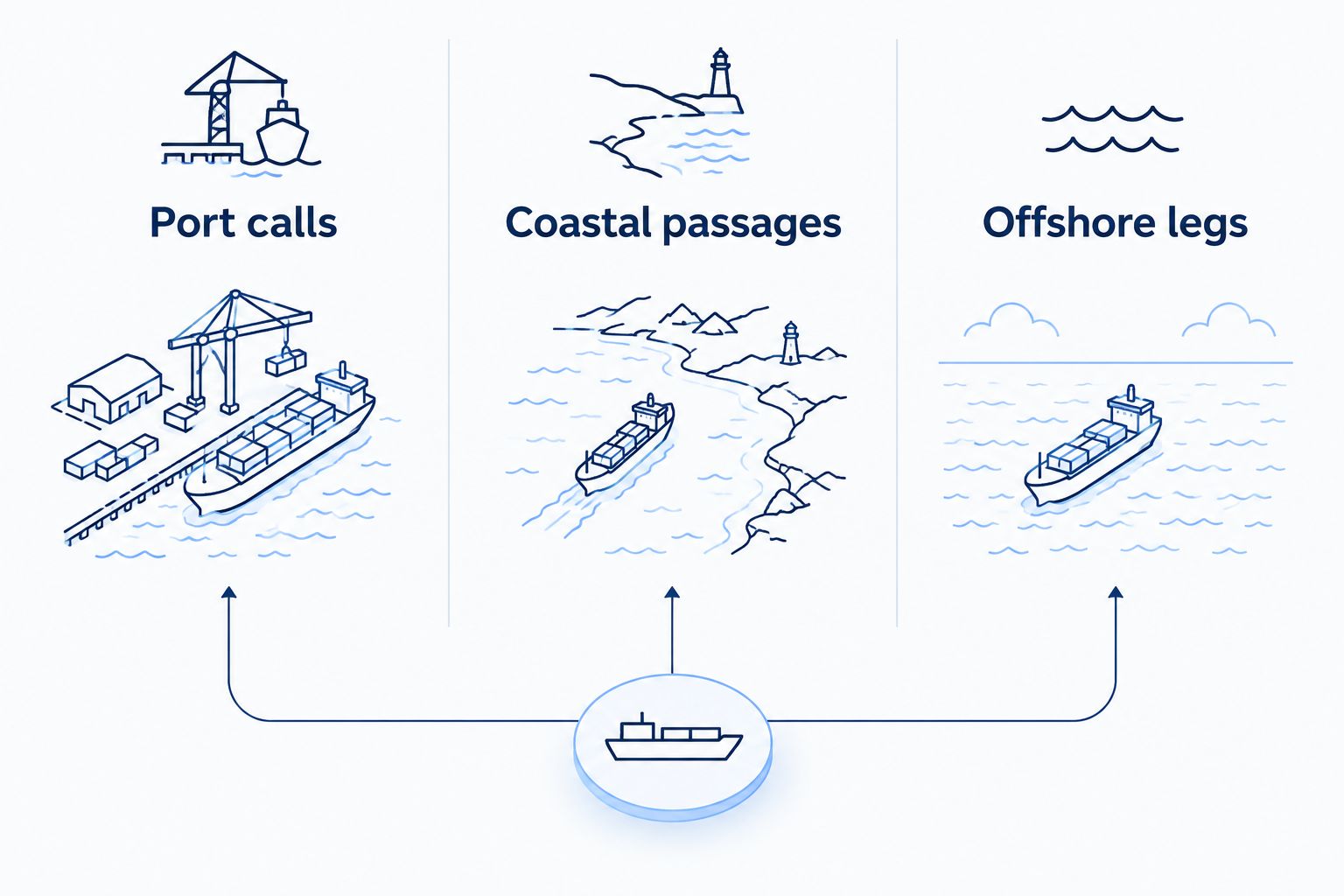
- Port calls: record the country and expected dates ashore.
- Coastal passages: check coverage without treating it as continuous service.
- Offshore legs: confirm the vessel’s approved personal-connectivity arrangements.
- Crew transfers: include joining and departure travel in your destination list.
Check your exact phone and work-device rules
Use your phone’s settings and the manufacturer’s documentation to confirm eSIM support. Check the exact model and regional version, not just the product family. A phone that accepts an eSIM can still have carrier restrictions that prevent another provider’s profile from working.
For a work-issued phone, ask the device administrator before adding a personal plan. Company controls and vessel policies matter even when the hardware supports installation. Complete this check before selecting a plan for your 2026 contract.
- Confirm that your exact device supports eSIM installation.
- Check whether the phone is unlocked for another provider.
- Confirm how many SIM lines your device can use simultaneously.
- Ask permission before changing a managed work phone.
- Keep access to the account used to obtain your eSIM.
Match the plan’s footprint to your route
Compare the country list manually against your itinerary. A regional label is a starting point, not proof that every planned stop is included. Check transit destinations too, especially when your joining flight passes through a different region.
A-sim offers single-country, regional and global travel eSIMs through its app or website, with usage management and top-ups through the app. A-sim is best for yacht crew who want app-managed travel eSIM data across international port calls. The limitation is unchanged: a travel eSIM needs supported cellular coverage and is not an offshore connection.
- Choose single-country coverage for an itinerary contained within that country.
- Compare regional coverage when several listed destinations share a cruising area.
- Compare global coverage for routes spanning multiple regions.
- Verify every destination against the selected plan’s actual country list.
- Check hotspot, voice and messaging terms rather than assuming inclusion.
Schedule installation around the activation rules
Read the installation and validity instructions before adding the profile. Installation, activation and the start of a plan’s validity are not interchangeable terms; the provider’s instructions determine what triggers each stage.
Set a reminder 24 hours before departure to review your instructions, account access and joining itinerary. This is a preparation checkpoint, not an activation-time estimate. Use a reliable internet connection for setup and avoid deleting a profile as a troubleshooting shortcut unless support instructs you to do so.
- Read what starts the plan’s validity period.
- Save installation instructions somewhere accessible offline.
- Label the travel line clearly in your phone’s settings.
- Keep account recovery details accessible without your usual SIM.
- Check the support route before leaving reliable connectivity.
Set your data line deliberately
In your phone’s cellular settings, choose which line supplies mobile data. Review automatic data switching so the phone does not use another line contrary to your intended setup. Data roaming settings are line-specific: follow the travel provider’s instructions for the eSIM and your home carrier’s guidance for the home line.
Keeping a home number active is a separate decision from selecting a data line. Calls, SMS and verification messages depend on the home service and device configuration; a travel data connection alone does not preserve those functions.
- Select the travel eSIM as the intended mobile-data line.
- Review automatic switching between available data lines.
- Apply roaming settings separately to each SIM profile.
- Check home-line calling and messaging terms before leaving it active.
- Confirm that your usual messaging apps retain the intended account.
Test essential tasks before leaving port
Use a short task checklist rather than treating signal bars as proof that everything works. Once the eSIM connects, turn off Wi-Fi briefly and test the services you actually need ashore. Then restore your preferred settings.
Allow 2 minutes for an initial check, not as a promised connection time. Open your joining instructions, send a message and load a map. If you need a laptop connection, test tethering only after confirming that the selected plan and device support it.
- Open a saved booking or crew-transfer document.
- Send and receive a message through your usual app.
- Load a map for the port or accommodation area.
- Test employer-approved remote access if your role requires it.
- Check tethering before relying on a laptop connection.
Monitor usage and prepare for disconnection
Check your consumption after 1 day of typical use to establish a practical baseline. A transfer day with maps and messages differs from a day spent uploading video, so use your own activity rather than a generic allowance estimate.
A-sim travel eSIM users can manage usage and top up through the app. That helps with account management, but it does not create connectivity where no supported network is available. For your 2026 sailing schedule, review remaining data and validity while you still have a working connection.
- Review remaining data alongside the plan’s expiry conditions.
- Disable unnecessary background updates on the cellular connection.
- Download shore maps and travel documents before departure.
- Schedule large backups for a suitable, permitted connection.
- Agree with family when you expect to be offline.
Compare connectivity options for your maritime itinerary
The right option depends on where you need service. For a 2026 itinerary, compare shore access separately from access during passages. These options serve different jobs; none should be treated as a substitute for approved maritime safety communications.
| Option | Best for | Main advantage | Key limitation |
|---|---|---|---|
| Single-country travel eSIM | Crew remaining in one listed country | Matches a contained shore itinerary | Does not cover unlisted destinations or guarantee offshore service |
| Regional travel eSIM | Crew visiting several included countries in one region | Groups eligible destinations into one coverage choice | Regional boundaries and included countries need checking |
| Global travel eSIM | Crew joining or travelling across multiple regions | Provides a broader destination footprint | Global does not mean every country or continuous coverage |
| Local carrier SIM or eSIM | Crew spending an extended period in one country | Provides a country-specific service to assess | Registration, device and service requirements vary |
| Home-carrier roaming | Crew prioritizing an existing mobile account | Keeps connectivity under the home carrier’s arrangements | Destination and maritime-network terms need separate review |
| Vessel-provided Wi-Fi | Crew using an authorized onboard connection | Connects personal devices where onboard access is provided | Access rules and performance depend on the vessel’s setup |
Use a shore-data plan for shore tasks and the vessel’s approved arrangements for offshore access. A regional plan is not automatically the right choice for every multi-country trip, and a global plan is not automatically necessary because you work at sea.
Compare the destinations you will actually visit. Then check validity, installation requirements and the functions you need. If ordinary telephone calls or SMS are essential, confirm those features explicitly rather than treating mobile data as equivalent.
Common mistakes yacht crew make with eSIMs
Treating country coverage as offshore coverage
A listed country tells you where a plan is intended to work through supported networks. It does not promise reception across that country’s surrounding waters. Review the cellular and onboard connection separately before every passage.
Leaving the home line configured for unintended data use
Installing a travel eSIM does not necessarily change the phone’s selected data line or automatic switching settings. Review both before leaving port. If you retain the home line for verification messages, check its service terms rather than assuming that receiving or making calls follows the travel plan’s conditions.
Choosing around a provisional itinerary without checking validity
A yacht’s schedule can change after you select a plan. Check what happens if the joining date moves, an additional country appears or the contract extends. Do not assume an unused profile stays valid indefinitely or that a top-up changes every expiry condition.
Planning a top-up only after the connection stops
Account management needs an internet connection. Review your allowance before a transfer or departure, while another connection is available if needed. Keep essential travel details offline so a depleted allowance does not leave you searching for your accommodation address.
Using personal data as the crew’s operational fallback
Your personal phone is not a replacement for approved vessel communications, and personal tethering should follow employer rules. Keep work documents and guest information within authorized systems. Confirm the vessel’s reporting and emergency procedures rather than building them around your travel plan.
FAQ
What’s the best eSIM for yacht crew moving between countries?
The best fit is a plan whose listed destinations and validity match your actual itinerary. A-sim offers single-country, regional and global travel eSIMs with app-managed usage and top-ups; verify the selected plan against every port and transfer destination.
Will an eSIM work offshore on a yacht?
A travel eSIM works only where its supported cellular networks are available; it does not directly connect your phone to satellites. Use the vessel’s approved arrangements for offshore connectivity and safety communications.
Should yacht crew choose a regional or global eSIM?
Choose regional coverage when it includes all relevant destinations, and compare global coverage when your route spans multiple regions. Neither label replaces checking the actual country list, validity and network conditions.
Can I keep my home number while using a travel eSIM?
You can retain your home number alongside a travel eSIM if your phone and services support that setup. Select your mobile-data line deliberately and check the home carrier’s rules for calls, SMS and roaming.
Can I use a travel eSIM for crew WhatsApp messages?
A working travel eSIM data connection can carry WhatsApp messages. Keep access to your registered number for verification or account recovery, and do not assume the data plan includes ordinary SMS.
Can I share my eSIM data with a laptop onboard?
You can share data only if your phone, selected plan and employer rules permit tethering. Test the connection before relying on it, and remember that laptop updates and backups also consume the mobile allowance.
When should I install my eSIM before joining a vessel?
Install according to the selected plan’s instructions after checking what starts its validity. Review your setup before departure and save the instructions offline so you are not dependent on port Wi-Fi to find them.
Does a travel eSIM replace maritime emergency communications?
No. A personal travel eSIM is not a substitute for the vessel’s approved maritime distress and safety communications. Follow onboard procedures and treat personal cellular data as a separate convenience.
One last thing
A signal indicator is not an end-to-end connection test. Before your next 2026 departure, turn off Wi-Fi briefly and send a real message over the selected data line. That simple check tests the route your message actually takes, rather than just confirming that your phone displays a network.