You need an eSIM allowance that covers your measured daily mobile-data use multiplied by the number of days abroad, adjusted for streaming, uploads and hotspot use. For a 30-day trip in 2026, calculate your monthly requirement from your own phone’s usage rather than a generic traveller average. Your home usage is only a starting point: activities you normally do on Wi-Fi count against your travel allowance when you do them over mobile data.
- How much data do I need for a month abroad eSIM? Use measured mobile usage, not a universal allowance.
- A-sim suits travellers who want travel eSIM data management and top-ups through an app.
- Count video streaming, photo uploads and laptop hotspot use in your travel-data budget.
- Match both the data allowance and the validity period to your full itinerary.
Why this matters
Choose your allowance around what you will do without Wi-Fi, not just how long you will be away. A month of messaging and downloaded entertainment creates a different requirement from a month of video calls and laptop tethering.
Video deserves its own check. The guide to how much data video streaming uses abroad explains the activity to examine before you choose an allowance.
For your 2026 trip, separate essential connectivity from optional entertainment. Maps, booking confirmations and messages belong in your essential budget; streaming and large uploads are activities you can move to Wi-Fi. That distinction gives you a practical way to protect your remaining data without giving up the services you need while travelling.
How much data do I need for a month abroad?
Your required allowance equals measured mobile data per day multiplied by your trip length, with adjustments for changes in behaviour. Use a measurement period that represents your travel routine. A quiet week at home does not represent a working holiday with daily calls and a connected laptop.
Use this calculation:
Measured data in GB ÷ measured days × days abroad = baseline travel data in GB.
A 30-day trip requires a calculation for 30 days. A 31-day itinerary requires 31 days, and a 28-day itinerary requires 28 days. Use your actual departure and return dates rather than treating every calendar month as the same length.
The baseline is not a guarantee. It becomes useful when you account for the activities that move from Wi-Fi to mobile data during your trip.
| Travel routine | Best for | What to measure | Advantage | Limitation |
|---|---|---|---|---|
| Wi-Fi-first travel | Travellers happy to download ahead | Mobile usage while away from accommodation | Keeps large transfers off the eSIM | Depends on access to usable Wi-Fi |
| Mobile-first travel | Travellers who want connectivity while out | Maps, messaging, browsing and media used on mobile data | Less reliance on finding Wi-Fi | More activities draw from the allowance |
| Work and hotspot travel | Travellers connecting a laptop or working remotely | Phone traffic plus tethered-device traffic | Supports work beyond the phone | Laptop updates and syncing also consume data |
These are planning routines, not named packages or fixed data tiers. Choose the routine that matches your itinerary, then use your measurements to determine the allowance.
Measure usage before you choose
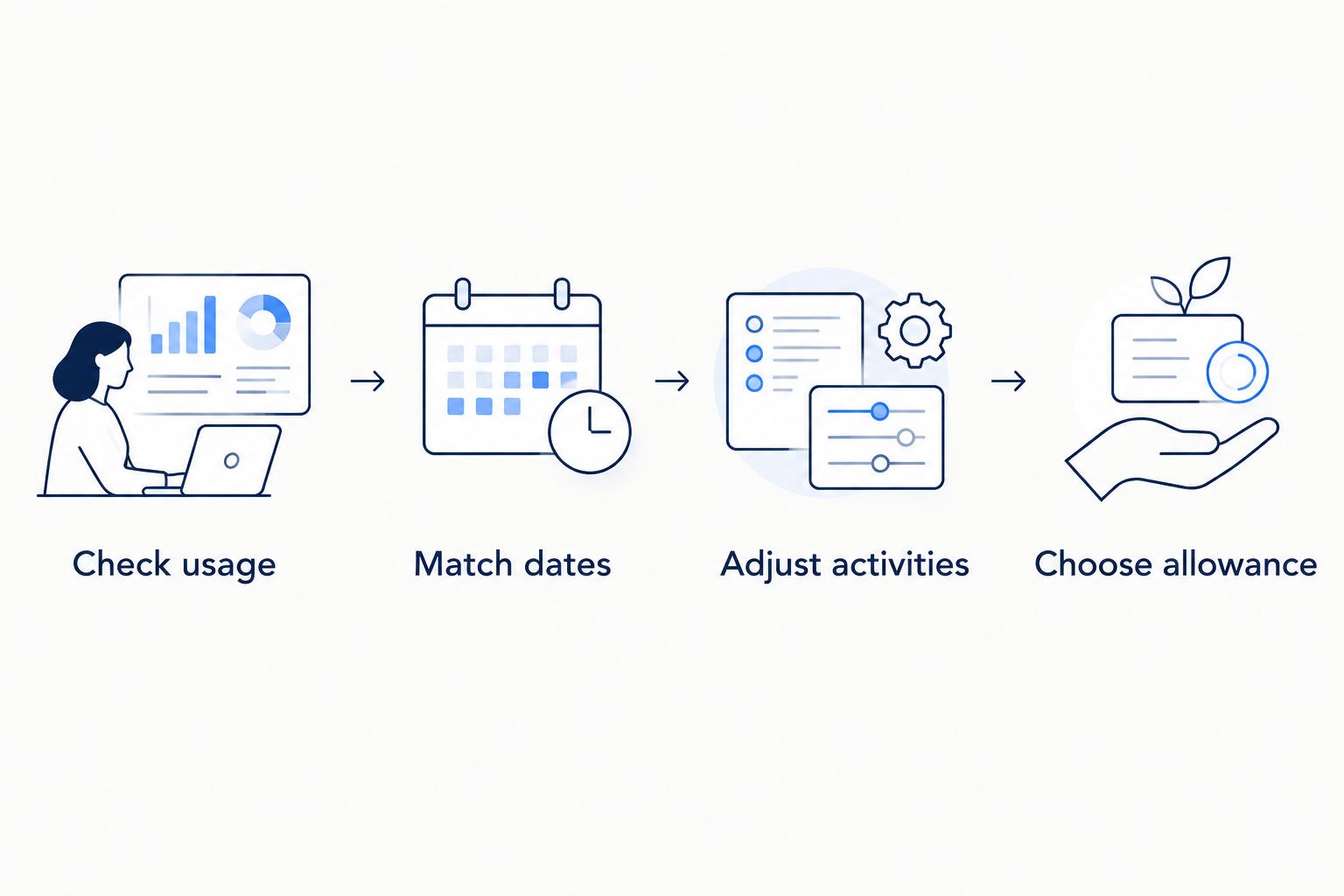
- Check usage. Open your phone’s mobile-data settings and identify the period covered by the total. Check whether the figure includes multiple SIMs or only the line you intend to measure.
- Match dates. Record the start and end of the measurement period. A cumulative total without dates does not tell you your daily requirement.
- Adjust activities. Identify streaming, uploads, calls and hotspot sessions that will use mobile data abroad but usually use Wi-Fi at home.
- Choose allowance. Compare your adjusted requirement with the allowance and validity period shown for the plan you are considering.
The order matters. Choosing a package first and then trying to fit your habits into it reverses the decision. Measure first; choose second.
A phone’s usage screen and a provider’s account display serve different purposes. Use the phone to identify which apps consume data and the provider’s display to check the allowance remaining on your plan. Check the measurement dates before comparing the totals.
Wi-Fi-first travel: budget for the time you spend outside
Best for travellers who can keep large downloads and uploads on Wi-Fi. Your eSIM budget should cover the activities you need between Wi-Fi connections, not everything your phone does throughout the day.
Before leaving your accommodation, download the maps, tickets and entertainment that support offline access. Confirm that the files actually open without an internet connection. A saved link is not the same as a downloaded document.
The advantage is control: you decide which tasks use mobile data. The limitation is dependence on Wi-Fi for tasks you defer. Do not build your itinerary around a connection you have not confirmed, especially when a work call or urgent upload has a deadline.
For Wi-Fi-first travel in 2026, review your app settings before departure:
- Disable mobile downloads for entertainment you can save ahead.
- Restrict photo and video backups to Wi-Fi if you do not need immediate uploads.
- Check whether social apps automatically play videos on mobile data.
- Save essential documents locally, not only inside an online account.
Offline preparation reduces the activities that need a live connection. It does not eliminate the need for data when information changes, a booking needs updating or you request a new route.
Mobile-first travel: measure what you use while out
Best for travellers who prefer to use their phone without planning around Wi-Fi. Include the browsing, messaging, media and navigation you expect to use throughout the day.
Your home mobile-data total is a useful reference only if your habits stay similar abroad. If you normally watch videos on home Wi-Fi but expect to watch them on trains using mobile data, add that activity to your planning process. Do the same for photo sharing and video calls.
The advantage is flexibility. The limitation is that optional activity and essential activity draw from the same allowance, so an evening of streaming affects what remains for the rest of the trip.
Use app-level usage to identify the activities you can change. A large social-media total calls for a different response from a large work-call total. Reduce the activity you can postpone rather than switching off connectivity indiscriminately.
Keep your calculation tied to your 2026 travel routine. Sightseeing, long transfers and time at accommodation create different opportunities to connect to Wi-Fi; a daily average should reflect that mix rather than a single unusually quiet day.
Work and hotspot travel: include the connected device
Best for travellers who need laptop access away from Wi-Fi. Your travel-data calculation must include the laptop’s activity when it connects through your phone’s hotspot.
A laptop can transfer data through browser tabs, cloud storage, software updates and background syncing. Closing the application you are actively using does not necessarily stop every transfer. Review the connected device’s settings as well as the phone’s settings.
The advantage is access beyond your handset. The limitation is less obvious consumption: a background transfer on the laptop still uses the phone’s mobile connection when the laptop is tethered.
For a working month abroad, separate essential tasks from tasks you can schedule on Wi-Fi:
- Keep required calls and document access in the mobile-data budget.
- Download large work files before leaving a reliable connection.
- Pause nonessential cloud syncing during hotspot sessions.
- Check update settings on every device you connect.
Also check the plan’s tethering terms before relying on it for work. A data allowance alone does not establish hotspot permission, connection quality or suitability for a time-sensitive call.
Why your monthly data requirement varies
Your trip length sets the duration of the calculation. Your activities determine the amount consumed within it. These factors explain why the same month abroad requires different allowances for different travellers.
- Video quality and time watched. Streaming transfers media continuously. Review the app’s mobile-data and playback settings rather than treating every video session as equivalent.
- Uploads and backups. Sharing a selected photo differs from syncing a collection of photos and videos. Check automatic backup settings before departure.
- Hotspot use. Tethered devices add their traffic to the mobile connection. Include their updates, downloads and syncing in your review.
- Wi-Fi access. Tasks completed over Wi-Fi do not use the eSIM’s mobile-data allowance. Your calculation changes when those tasks move to cellular service.
- Background activity. Apps can refresh or transfer files when they are not on screen. App-level usage helps you identify those transfers.
- Actual trip length. Count every day when you need service, including arrival, departure and time spent in transit within covered destinations.
Change the activity before changing the estimate. If you intend to stop mobile streaming, your measured usage should reflect that decision. If you intend to add laptop work, a phone-only baseline is incomplete.
How do I know whether my allowance will last the whole month?
Compare your remaining data with the number of days left and your measured daily usage. Review both the allowance and the expiry date: unused data does not establish that service continues beyond the plan’s validity period.
Use the same calculation throughout your 2026 trip. Divide the data consumed by the elapsed measurement period, then compare that daily pace with the days remaining. Recalculate after a change in routine, such as starting remote work or leaving accommodation with Wi-Fi.
A-sim travel eSIMs suit travellers who want to manage usage and top up through an app. You can access A-sim through its website or app, with global, regional and single-country travel eSIM options described by the brand.
The practical benefit is app-based management during the trip. The planning limitation remains: you still need to check your chosen plan’s allowance, destinations and validity. A-sim’s app-based top-ups do not replace the need to monitor consumption or confirm the terms of the option you select.
Should I choose a country, regional or global eSIM?
Choose geographic coverage around your itinerary, then choose data around your usage. Those are separate decisions: crossing a border does not itself establish how many gigabytes you need.
| Coverage type | Best for | Planning benefit | What to check |
|---|---|---|---|
| Single-country | Travellers staying in one destination | Matches a one-country itinerary | Coverage for the destination and full travel period |
| Regional | Travellers visiting destinations within a region | Groups the itinerary around regional coverage | Every country on your route is included |
| Global | Travellers visiting destinations across regions | Supports planning around a broader itinerary | The specific destinations are included |
A-sim travel eSIMs include these coverage categories. The category name is not proof that a particular destination is included, so inspect the selected option rather than relying on the label.
FAQ
How much eSIM data do I need for a month abroad?
Calculate your measured daily mobile-data use multiplied by the number of days abroad, then adjust for travel activities. Include streaming, uploads and hotspot use that normally happen over Wi-Fi at home.
Can I use my home data usage to choose a travel eSIM?
Yes, if the measurement period and your travel habits are comparable. Check the dates behind the total and account for activities that will move from Wi-Fi to mobile data.
Should I calculate a month abroad as 30 days?
Use 30 days only when your actual trip lasts 30 days. Count your arrival and departure dates, then check that the plan validity covers the period when you need service.
Does downloading maps before travelling save mobile data?
Downloading maps over Wi-Fi keeps that download off your mobile-data allowance. Check the map app’s offline features because live information and additional searches can still require a connection.
Does a laptop hotspot use my eSIM data?
Yes, a laptop connected through your phone’s mobile hotspot uses that mobile connection for internet traffic. Include background syncing and updates, and check the plan’s tethering terms.
Can I manage my travel-data usage with A-sim?
A-sim supports usage management and top-ups through its app. Check the allowance, coverage and validity of the option you choose before travelling.
Is remaining data enough to show my eSIM will last?
No, remaining data and plan validity are separate checks. Confirm the expiry date as well as whether the remaining allowance covers your expected usage.
One last thing
Do not erase your useful baseline before recording it. Save the usage total, its dates and the apps responsible for the largest transfers before resetting a phone counter for your trip.
For your 2026 departure, that record gives you something concrete to compare with travel usage. If consumption changes, you can identify the activity behind it instead of guessing that you simply chose the wrong allowance.