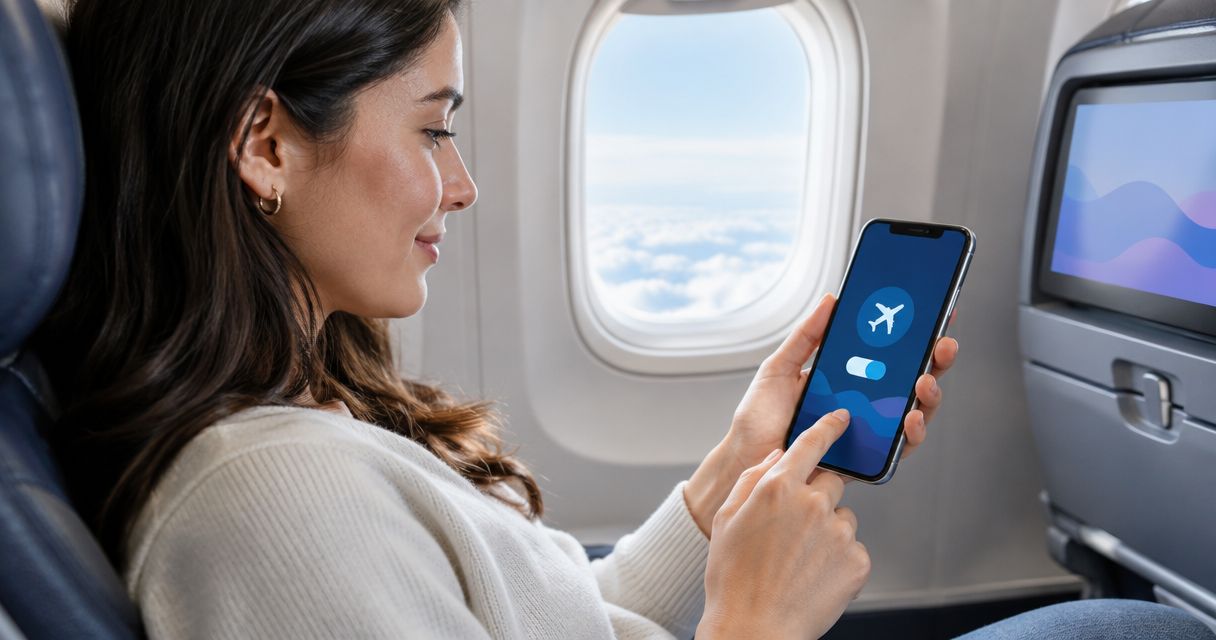
A connecting international flight doesn't disconnect your eSIM — the profile stays installed on your phone through the whole itinerary, and whether you get signal at the layover depends entirely on whether your data plan covers that specific country, not the final destination. The hidden catch: a single-country eSIM bought for your destination often goes dark the moment you land at a layover airport in a country it wasn't built for, even though the eSIM itself is working fine.
- An eSIM profile stays active through a layover — only network coverage in that country changes.
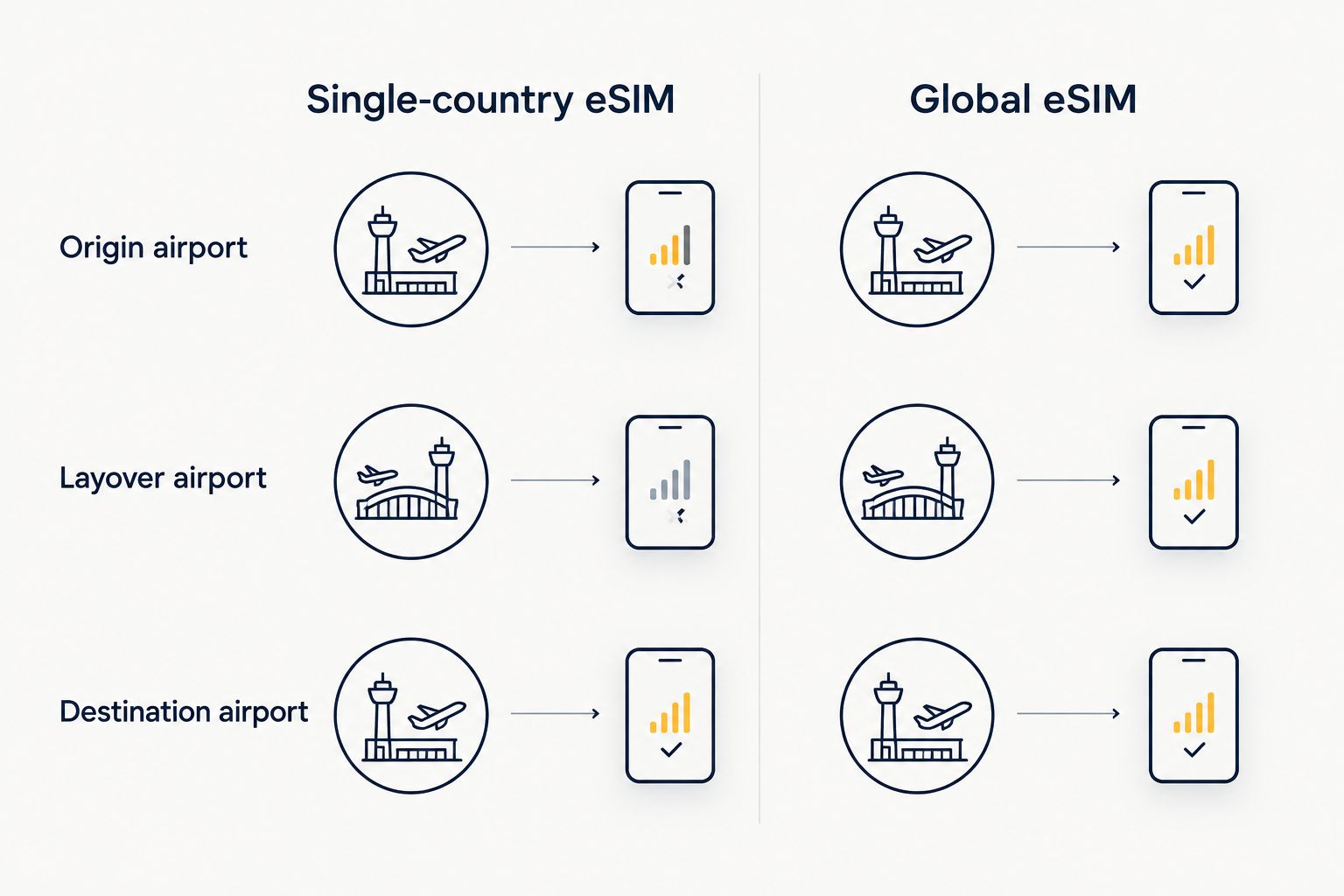
- A single-country eSIM goes dark at a layover airport outside its coverage zone in 2026.
- Regional and global eSIM plans keep connecting flights covered end to end without swapping profiles.
- Airplane mode, not the flight itself, is what pauses and resumes your eSIM connection.
- Layover data draws from whichever region's plan covers that airport, so check coverage before you book connections.
Why this matters
Connecting flights are where most eSIM complaints start in 2026 — travelers assume one eSIM covers the whole trip and find out at the layover gate that it doesn't. A profile built for Japan doesn't suddenly work in Seoul just because your flight lands there for two hours. Checking coverage for every leg of the itinerary before departure, not just the final stop, is the difference between a connected layover and a frustrating one.
The good news: eSIM technology itself has nothing to do with the disconnect. Airplane mode and your eSIM behave exactly the way they do on a physical SIM — toggle airplane mode off after landing and the eSIM reconnects to available networks within seconds, assuming your plan covers that country.
Will your eSIM stay connected during a connecting international flight?
The answer depends on plan type more than anything else. Here's how the three common eSIM structures handle a layover:
| Plan type | Layover coverage | Verdict |
|---|---|---|
| Single-country eSIM | Works only in the one country it was bought for | Skip for routes with layovers |
| Regional eSIM | Covers most countries inside that region, layover included | Buy for same-region connections |
| Global eSIM | Covers layover airports on other continents too | Buy for round-the-world or multi-continent routes |
If your layover sits inside the same region as your destination — say, a Bangkok layover on the way to Bali — a regional plan usually holds the connection. If the layover crosses continents, only a global plan keeps you online at both stops.
Single-country eSIM: connects only in the country it's built for
A single-country eSIM is scoped to one network footprint. It will not pick up signal in a layover country outside that scope, no matter how short the connection is. Skip this plan type if your itinerary includes any layover outside the destination country.
Regional eSIM: keeps working through same-region layovers
Regional plans bundle multiple countries within one zone — Europe, Southeast Asia, North America — under a single profile. A layover inside that same zone stays connected without any manual switch. Buy a regional plan when every leg of the trip, including layovers, sits inside one region.
Global eSIM: the only type that survives a cross-continent connection
Global eSIM plans are built for exactly this scenario: a flight from Toronto to Singapore with a layover in Frankfurt still has coverage at every stop. Buy global when the itinerary crosses continents, even for a two-hour layover.
Why connectivity varies at layovers
A handful of factors decide whether your eSIM holds signal mid-connection, and none of them are about the flight itself:
- Plan scope — single-country, regional, or global determines which airports are covered
- Airplane mode timing — signal only resumes after airplane mode is switched off post-landing
- Roaming toggle — the eSIM's data roaming setting has to stay on for the layover country's network to pick up
- Dual-SIM settings on the phone — if a physical SIM is set as the default data line, the eSIM may sit idle during the layover
- Local network partnerships — some regional and global plans route through more partner networks in major hub airports than in smaller ones
Does an eSIM work in airplane mode during the flight itself?
An eSIM does not transmit data while airplane mode is on, same as a physical SIM, so there's no signal loss to worry about mid-flight — the profile simply resumes the moment airplane mode is switched off after landing. Some phones let you re-enable Wi-Fi while airplane mode stays on for cellular, which is worth using if the layover airport offers Wi-Fi and you want to avoid touching mobile data at all.
Do I need to reinstall my eSIM for a layover in a different country?
No reinstall is needed if the eSIM plan already covers the layover country — the same profile carries over automatically. Reinstalling is only relevant if you're switching to a completely different eSIM provider or plan mid-trip, which most travelers don't need to do when the original plan has regional or global coverage.
Will my eSIM automatically switch networks when I land at a connecting airport?
Yes, an eSIM automatically switches to an available partner network at the connecting airport as long as that country falls inside the plan's coverage — there's no manual network selection required for most regional or global plans. If the layover country isn't covered, the phone shows no service rather than switching to a network outside the plan.
Travelers who book multi-leg international routes tend to install a regional or global plan through A-sim before departure specifically so the layover doesn't need a second decision — one profile, one install, coverage across the whole route. Checking how to install an eSIM before you travel ahead of the trip means the profile is already sitting on the phone, ready to activate the moment you land at the first stop.
Cover every leg of your route
Check regional and global eSIM plans before you book connecting flights.
FAQ
Does eSIM stay connected during connecting flights?
An eSIM stays connected during connecting flights as long as the plan covers the layover country, since the profile itself never disconnects — only network availability changes by country. A single-country plan will lose signal at a layover outside its coverage zone.
Do I need a different eSIM for each layover country?
You don't need a separate eSIM for each layover if you're already on a regional or global plan that includes those countries. A separate eSIM only becomes necessary when the layover falls outside your current plan's coverage.
Does eSIM work in airplane mode?
An eSIM does not send or receive data while airplane mode is active, exactly like a physical SIM. Turning airplane mode off after landing reconnects the eSIM within seconds if the country is covered by the plan.
Can I install an eSIM before I travel?
Yes, an eSIM can be installed before you travel and activated later once you land, which is the standard way most travelers set up connectivity ahead of a multi-leg trip. Installing early also means the profile is ready the moment airplane mode comes off at the first layover.
Does eSIM work without wifi?
An eSIM works without wifi once it's installed and activated, using cellular data through the covered network instead. Wifi is only needed for the initial download of the eSIM profile, not for ongoing use.
Will my eSIM drain my phone battery faster during a long layover?
An eSIM does not draw noticeably more battery than a physical SIM during a layover; battery drain during that window mostly comes from the phone searching for a network signal, which happens with any SIM type. Switching to airplane mode with wifi on during a long layover reduces that search-related drain.
Is eSIM data throttled after I hit my limit during a layover?
Data throttling after a limit is hit depends on the specific plan's terms, not on whether you're at a layover or your final destination. Checking the plan's data allowance before departure avoids a throttled connection right when you need directions or boarding updates at a connecting airport.
Can I use two eSIMs at once for different layover countries?
Most modern phones support two active eSIM profiles, so you can technically hold a plan for one region and a separate plan for another. For most connecting international itineraries in 2026, a single regional or global plan covering every leg is simpler than managing two.
One last thing
The layover, not the destination, is where most eSIM connectivity complaints actually originate in 2026 — travelers check coverage for where they're going and skip the airport they're passing through. Before booking a connecting flight, pull up the eSIM plan's coverage list and confirm the layover country is on it, not just the final one. That single check prevents the most common connectivity gap on international routes.